Elegant Menu · B2B SaaS · Hospitality · 2023 — now
Elegant Menu.
Putting AI to work for restaurants, with the owner in control.
Venues using the product
Menu languages, including right-to-left scripts
From a PDF to a printed QR code
All product design since 2024
Role, scope and status my contribution · 5 facts
I have been part of Elegant Menu since its beginning and have owned all of its product design since 2024. In the 2026 redesign I designed the AI workflows (menu building, the check step, the menu assistant and the guest assistant), the onboarding, the website and the interface system, working with the Elegant Menu team and its developers.
| Timeline | All product design since 2024 · latest update Nov 2026 |
| Scope | Guest menu, owner tools, ordering, onboarding, website, design system |
| Platforms | Mobile web for guests, web app for venues |
| Users | Owners, staff, guests and kitchens |
| Status | Live, tested with venues and improved continuously |
01 — See
Every QR menu now promises AI. Owners still have to trust it.
How can a restaurant hand repetitive menu work to AI without losing control of what its guests see?
A restaurant menu is read by a guest in an unfamiliar language, edited by an owner in the middle of service, and acted on by a kitchen within seconds. Elegant Menu serves all three: it turns a venue’s existing menu into a live, multilingual menu behind a QR code, and carries orders from the table to the kitchen.
Before the first menu
Retyping what already exists
Every venue already has a printed menu. Rebuilding it dish by dish is the first reason to give up.
During service
Changes can’t wait
A dish sells out, a price changes, the terrace closes. The menu has to follow within minutes, from a phone.
At the table
Choosing safely
Guests need the menu in their language, with allergens visible before they decide, and no app to install.
The finding that set the direction
Insight · market scan, 2026
Turning a PDF into a menu is no longer the differentiator; trusting the result is.
Product decision
Ask owners to check only what the AI is unsure of.
The evidence behind it market scan: Elegant Menu and 4 competitors · 2 more findings
Two sources shaped the latest redesign: a scan of competing QR menu products, and what we learned from testing and supporting venues since 2024.
| Product | Menu from PDF or photo | Automatic translation | AI assistant | Table ordering |
|---|---|---|---|---|
| MENU TIGER | AI builder | 19+ languages | Not listed | Yes |
| Menubly | Typed by support team | Not listed | Not listed | Pick-up, delivery |
| IAMenu | AI import | 4–8 languages | Monthly message quota | Not listed |
| Menulook | AI draft | Not listed | Not listed | Beta |
| Elegant Menu | AI, with review by exception | 12 languages | For owners and for guests | Yes, with payments |
Market scan · 2026 · from vendor pages and software listings
AI import has become standard. What the pages we reviewed rarely explain is how an owner checks the result, or controls what the AI changes. That is the gap the latest redesign addresses.
Insight · from supporting venues since 2024
Menu changes happen during service, from a phone, under time pressure.
→ Change the menu by writing a message, and approve it before it goes live.
Insight · from testing the guest menu with venues
Guests’ questions are about safety as much as taste: allergies, diets, children.
→ Let the guest assistant point only at dishes the owner published.
02 — Understand
One principle: the owner approves what guests see.
Three decisions apply it at three moments: when the menu is built, when it changes during service, and when a guest asks for advice. Each gives something up, and each gives up something different.
Who decides what
| Moment | What the AI does | What the owner does |
|---|---|---|
| Building the menu | Reads every dish from the PDF and flags only what it is unsure of. Allergens it suggests are always flagged. | Checks the flagged items, then publishes the menu. |
| Changing a live menu | Turns the owner’s message into one exact change and waits. | Approves every change with one tap. |
| Answering a guest | Points only at dishes the owner has published. | Nothing: the menu itself is the answer. |
Review by exception is about how much the owner has to read; publishing is about who has the last word. Nothing reaches guests until the owner publishes it.
Decision 1 · Onboarding
Review by exception, not by default.
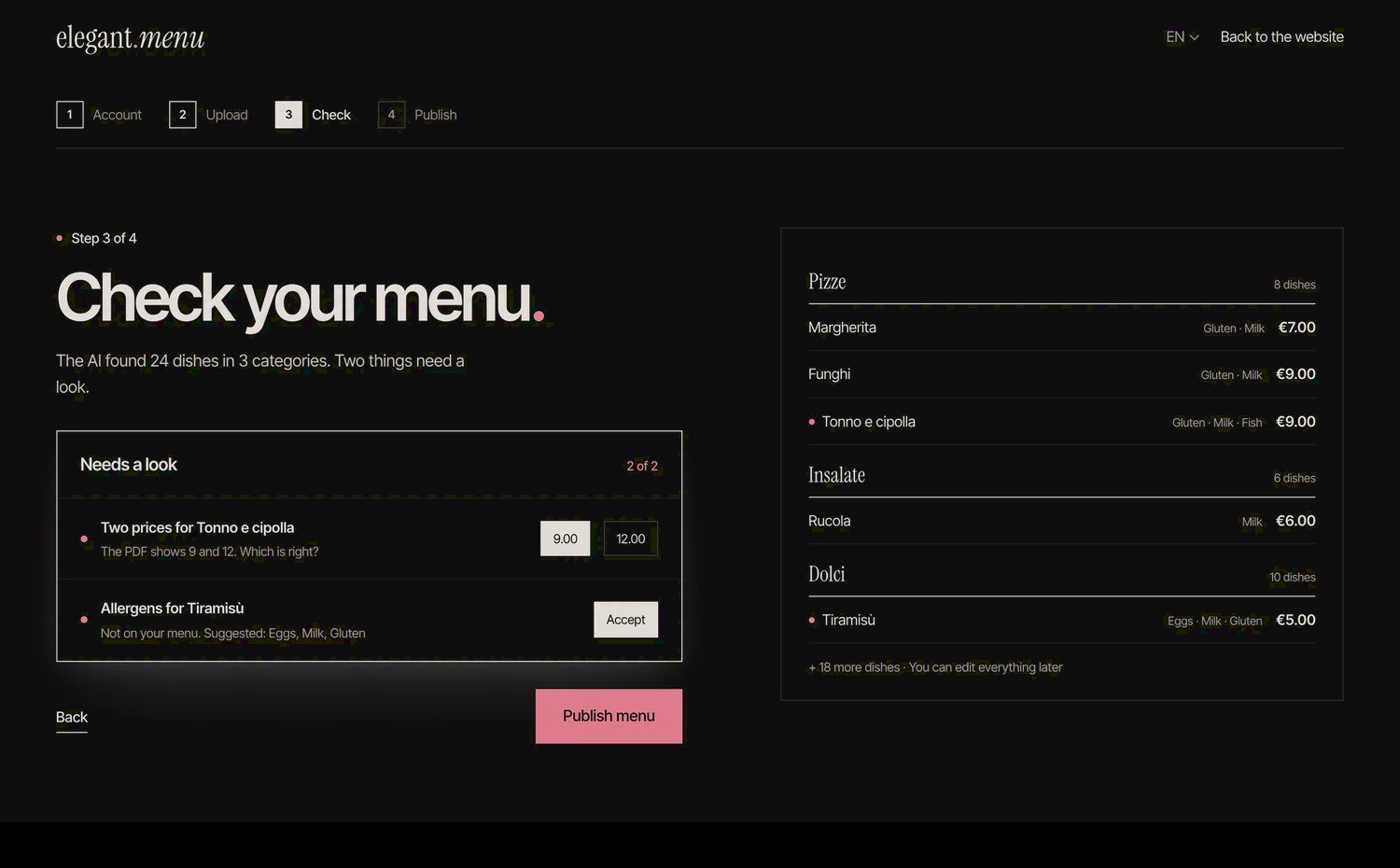
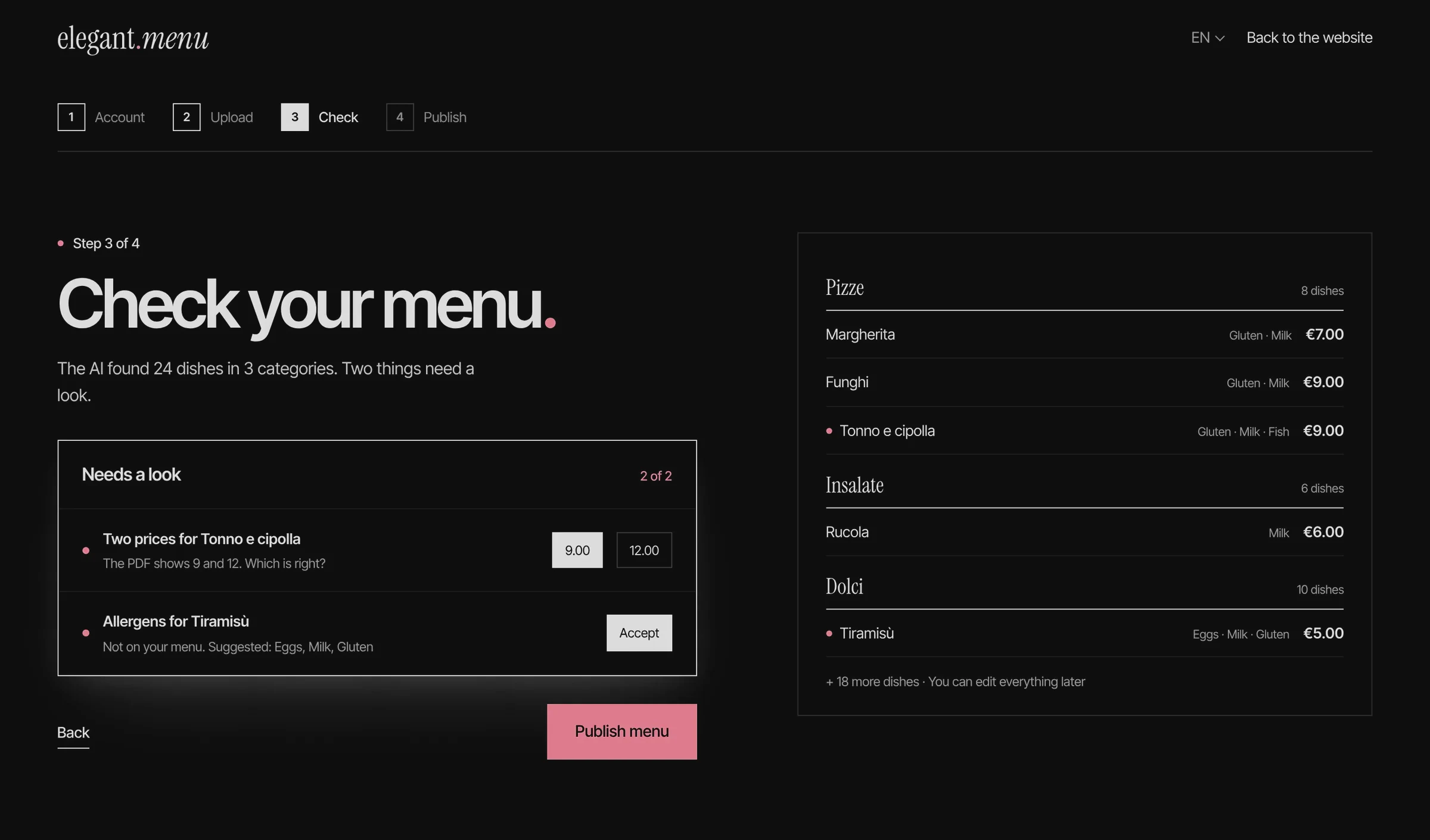
Reading a menu from a PDF is never fully reliable: a dish may carry two prices, an allergen may be missing. Reviewing every dish would cancel the time the AI saves; publishing blindly would let errors reach guests. The check step shows the full menu and isolates only what the AI is unsure of.
The trade-off
Completeness for time. Owners no longer review every dish, so an error the AI is confident about can still pass. Allergens the AI suggests are always shown for review, and every dish stays editable after publishing.
Decision 2 · The central decision
AI suggests. The owner publishes.
Mid-service, the owner writes the change in plain words. The assistant shows exactly what it will change and waits; one tap publishes it in every language.
The trade-off
One extra tap for control. Every change costs one more tap. In exchange, no change reaches guests unseen. The approval step is designed to give owners control over AI-assisted changes.
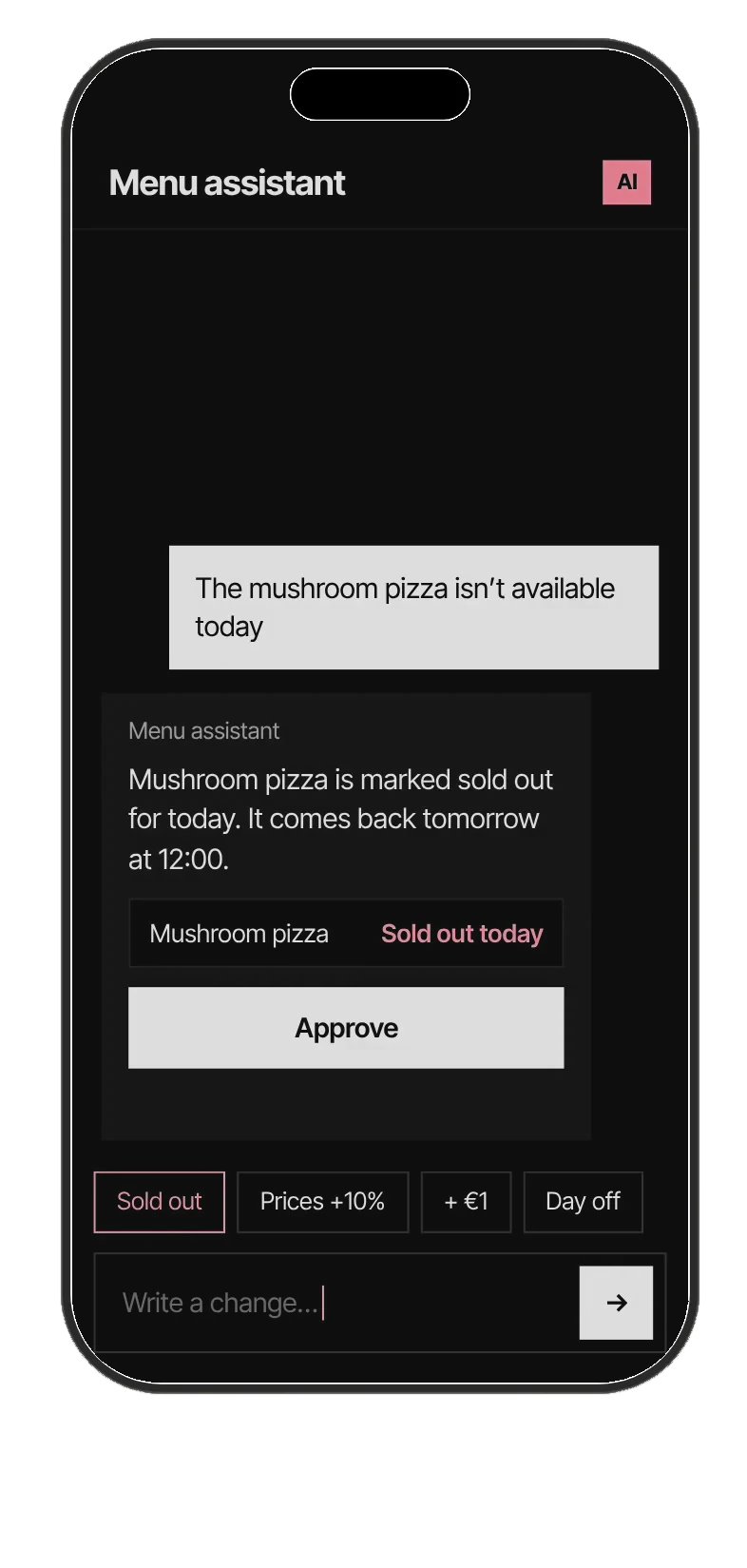
01 / Proposed
The owner’s words become one exact change. Nothing has moved yet.
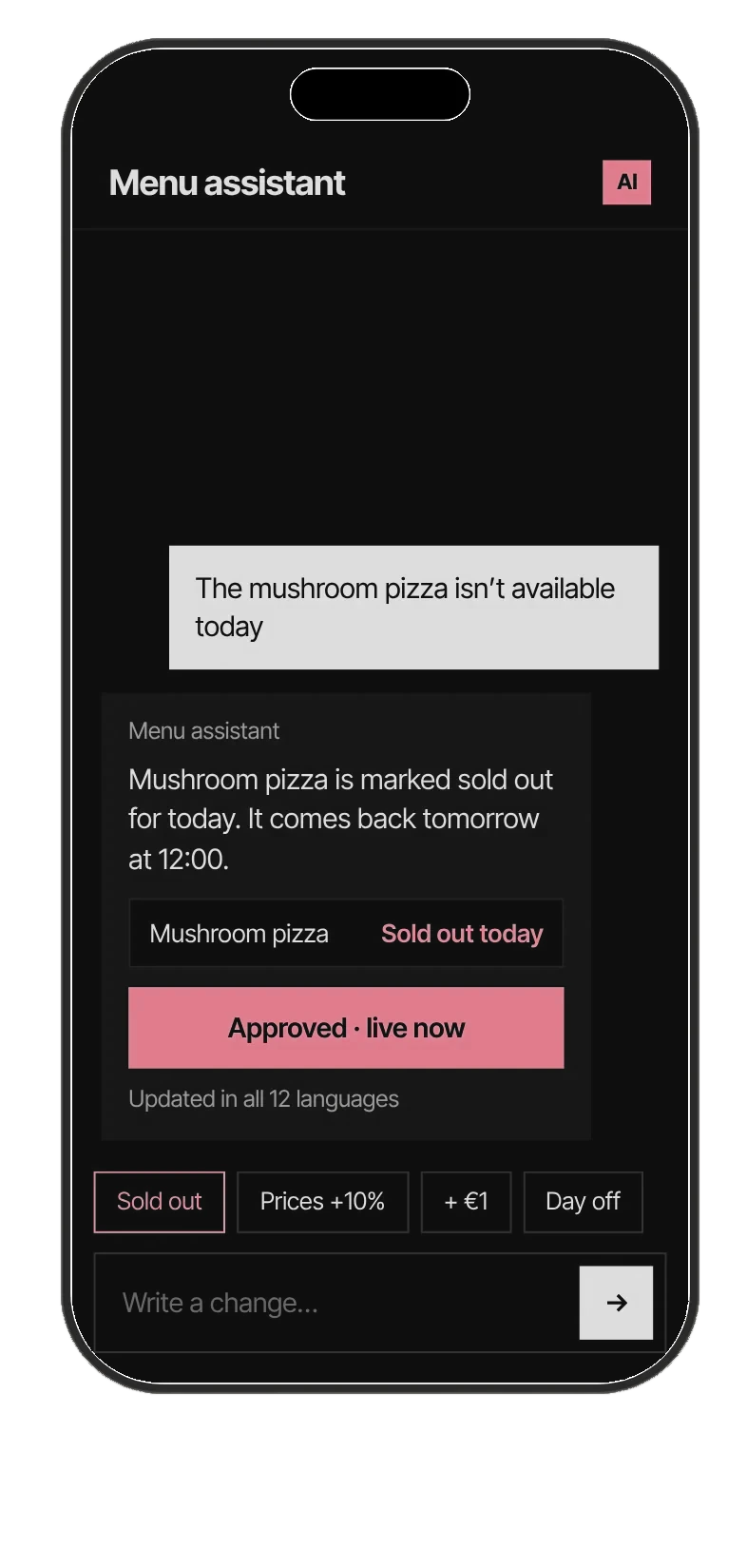
02 / Approved
One tap. The change is confirmed in all 12 languages.
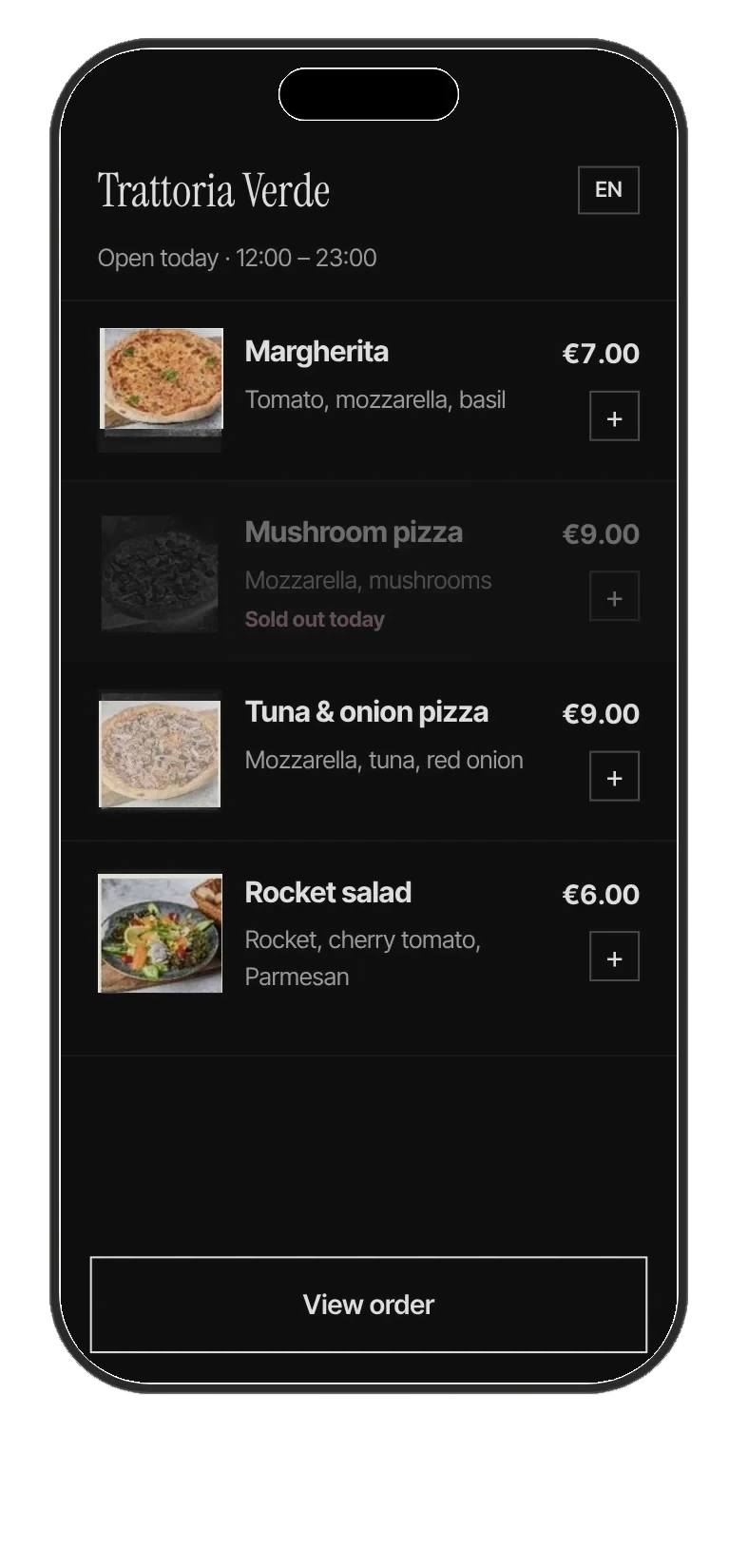
03 / Published
The dish is dimmed and marked, never removed, on every open menu.
Option A · not chosen
The AI applies the change at once
Fastest for the owner. But a misunderstood message reaches every table before anyone sees it, and the owner learns about it from a guest.
Option B · chosen
The AI proposes, the owner approves
One extra tap. Every change is shown in the menu’s own format before it is published, so the owner has the last word on what guests read.
Decision 3 · Guest assistant
Answers that point to the menu.
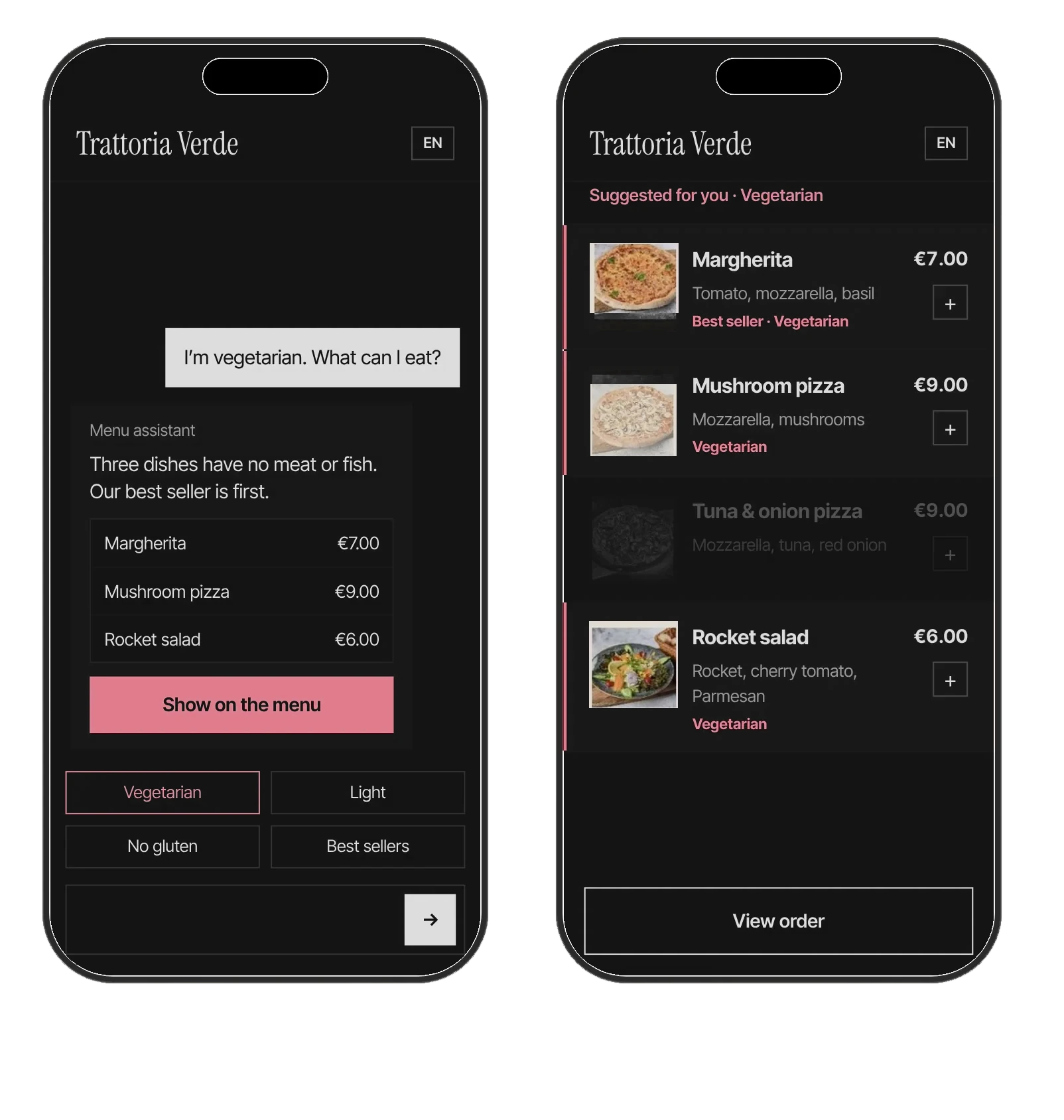
Guests ask in their own words. The answer is the menu itself, filtered and marked, and it can only point at dishes the owner has published.
The trade-off
Range for grounding. It cannot answer beyond what the menu says. For a guest with an allergy, that limit is the point: every suggestion comes from the venue’s own published menu.
03 — Make clear
The AI does the work. The owner keeps the last word.
The menu is built from the one the venue already prints, changed by writing a message, and explained to guests in their own language. At every step the AI proposes and the owner decides what guests see.
Customer
“Tourists used to point at the menu and hope. Now they read it in their own language, order from the table, and the kitchen gets it right the first time.”
Andrea — Owner, The Olive, Milan
What I learned
Trust is designed, not assumed.
I prioritized visible changes and the ability to correct them, rather than assuming owners would accept automated edits.
Constraints define what AI can recommend.
Restricting the assistant to published menu information reduces its scope for unsupported recommendations.
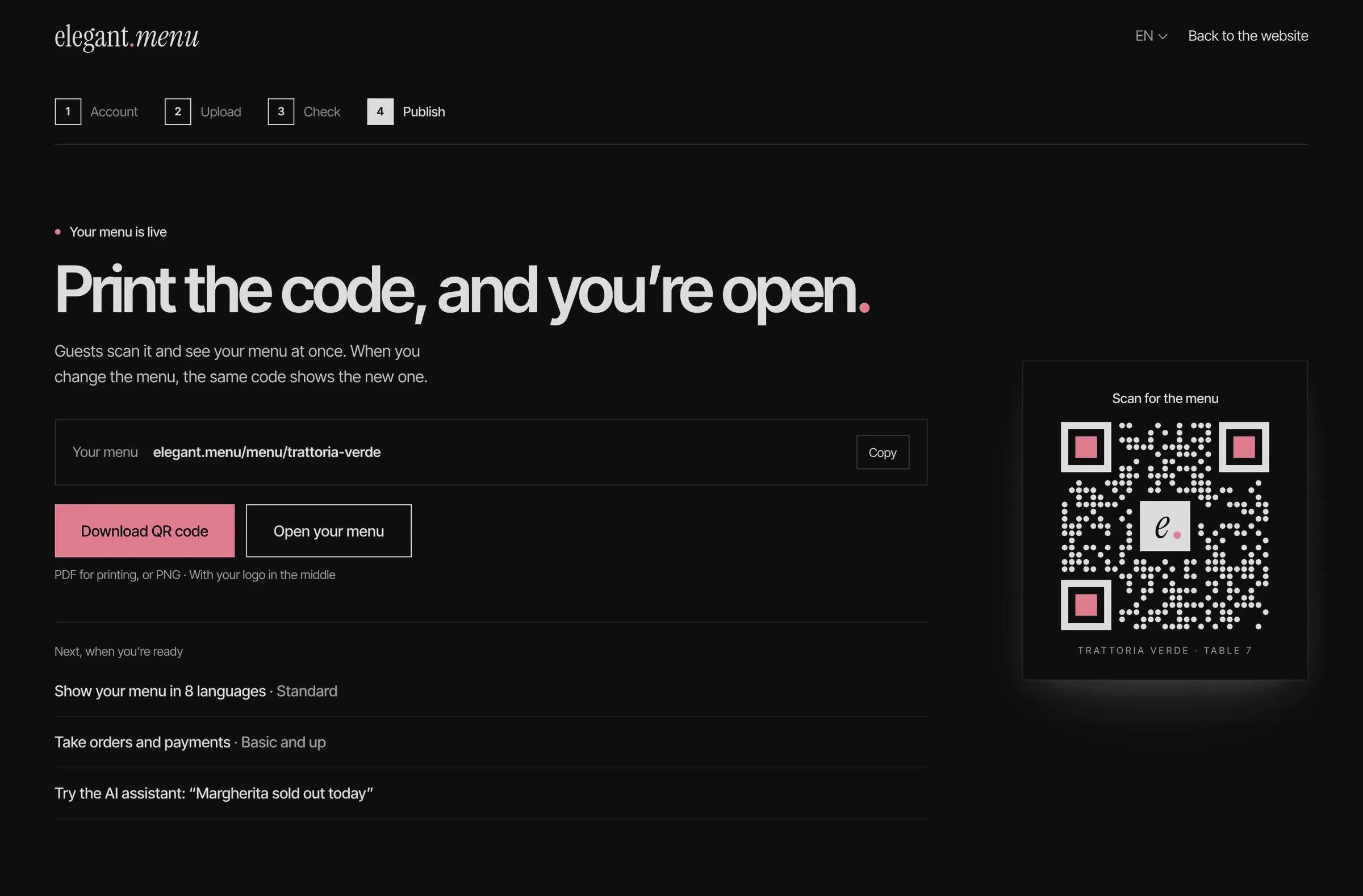
The shipped experience 8 screens, from sign-up to the table · 50 menu styles
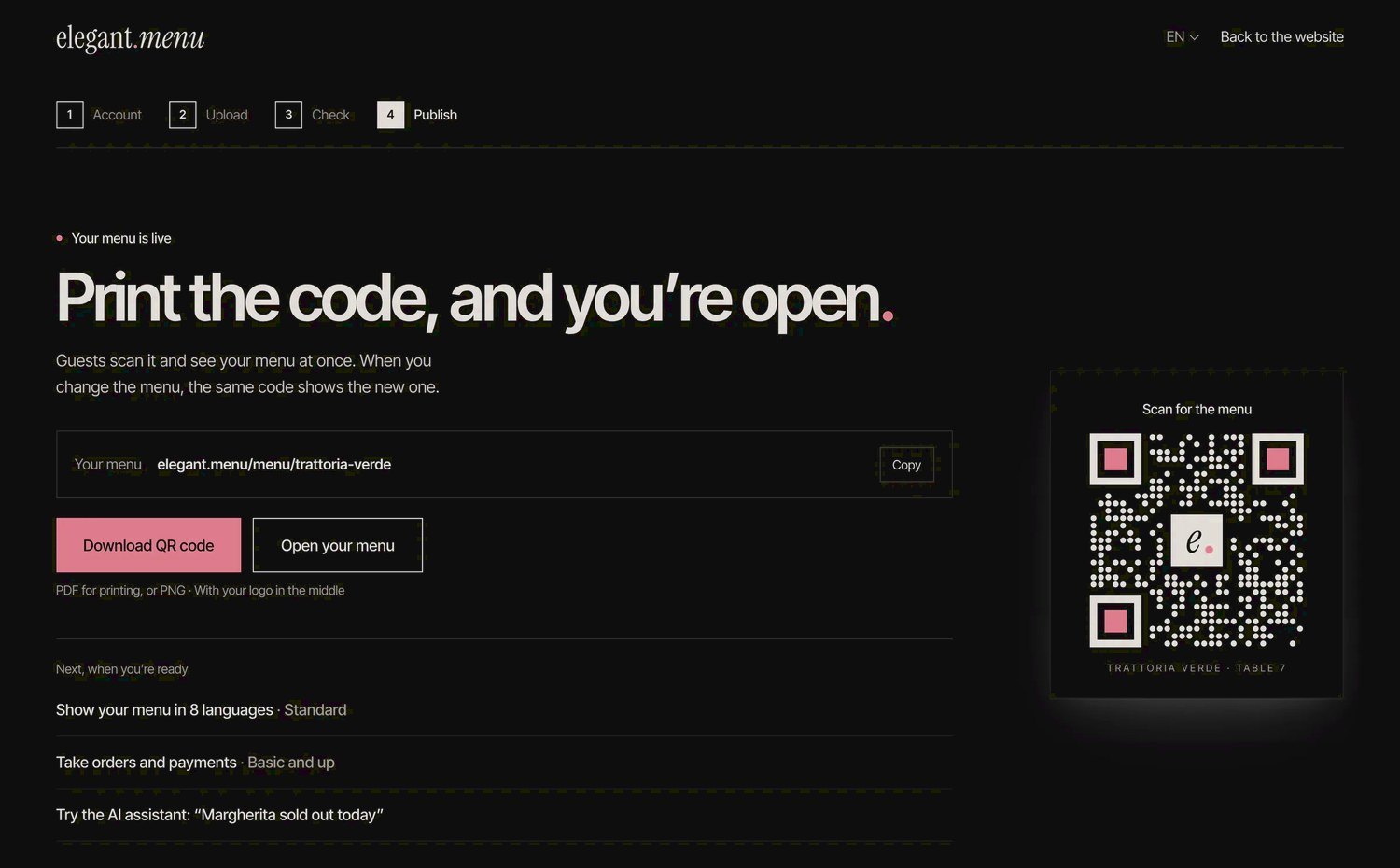
The rest of the redesign, in the order a venue meets it: signing up, uploading, publishing, then the setup for each kind of venue and the QR set on the table. Guests get the menu in 12 languages and 50 menu styles; a change is published with one tap, in every language.
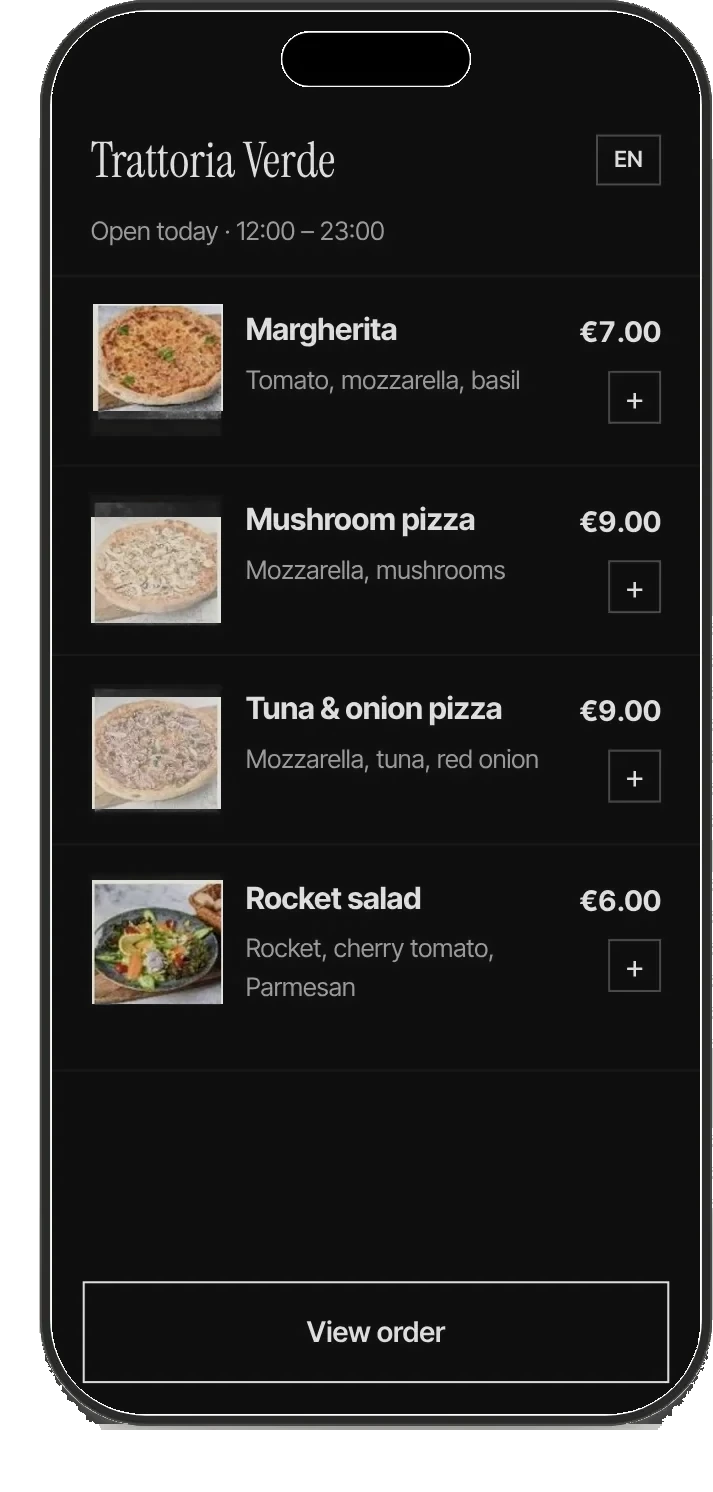
The guest menu
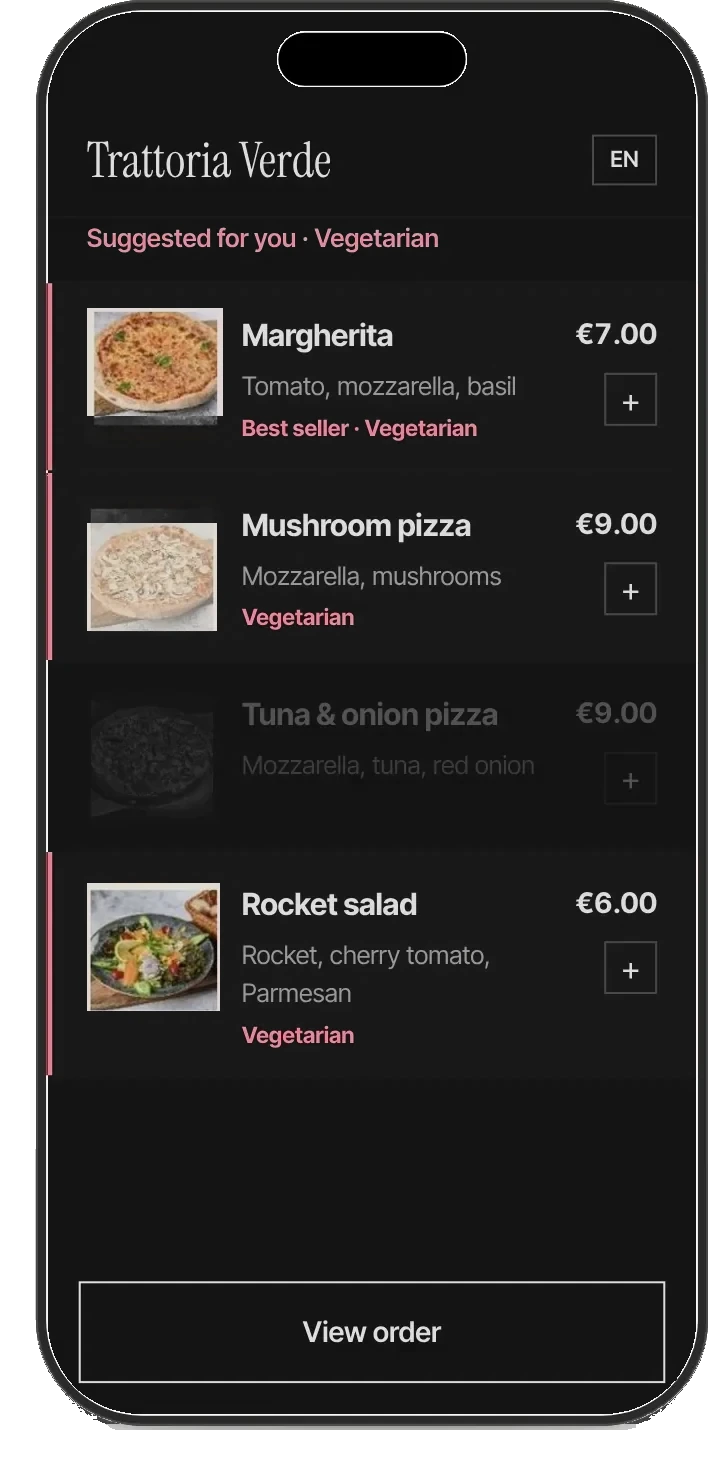
Filtered by the assistant’s answer
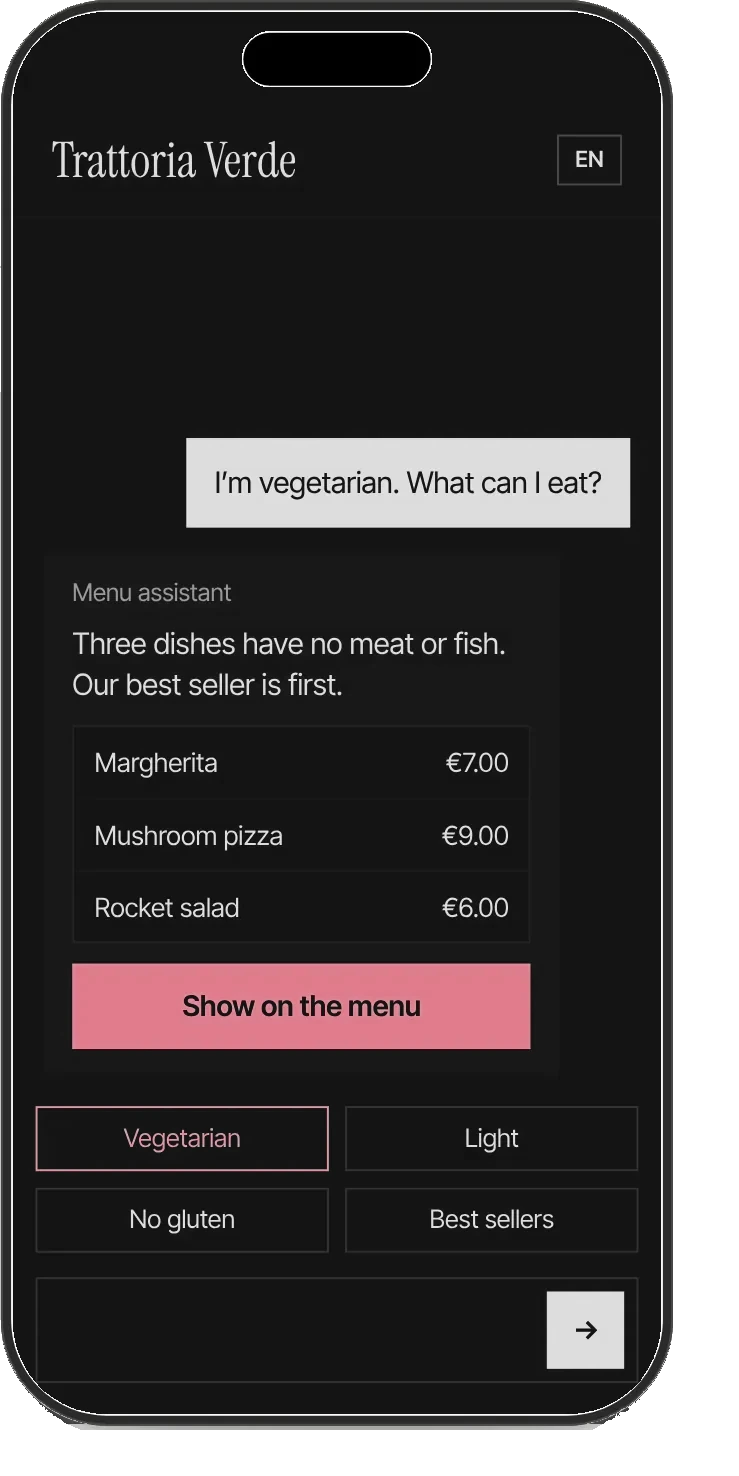
The guest assistant
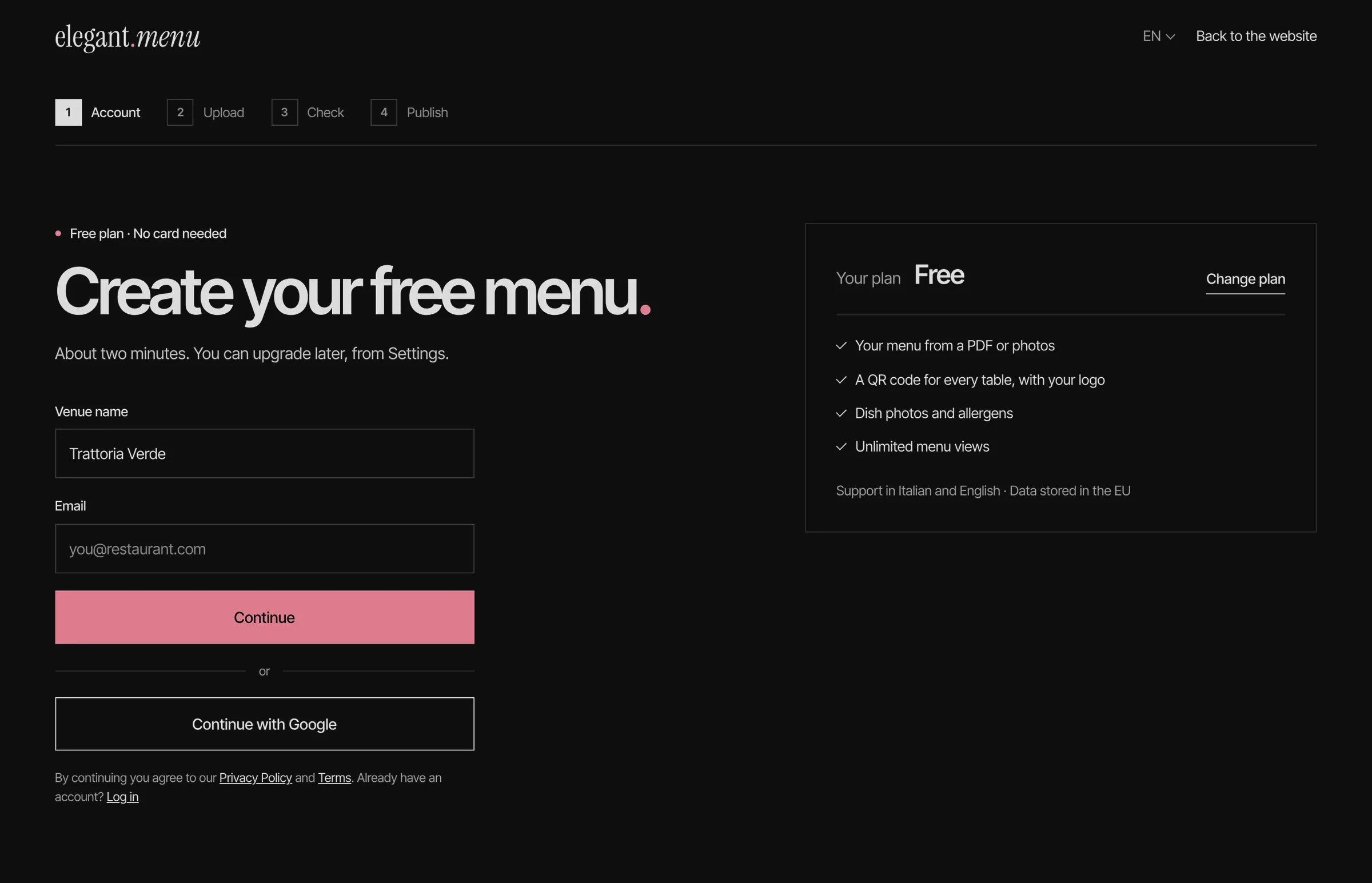
Step 1 · Account
Two fields and a free plan; payment comes later, from Settings.
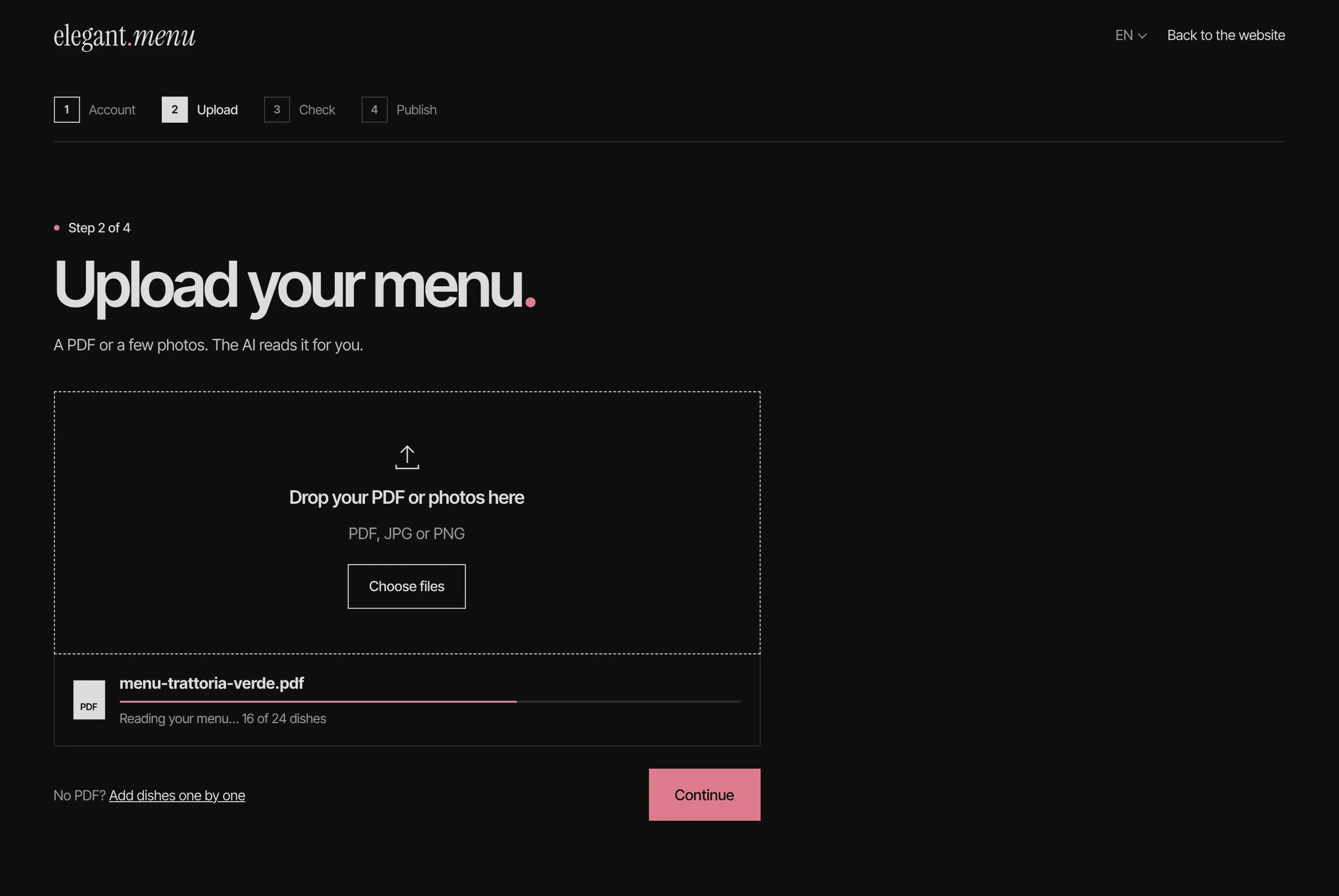
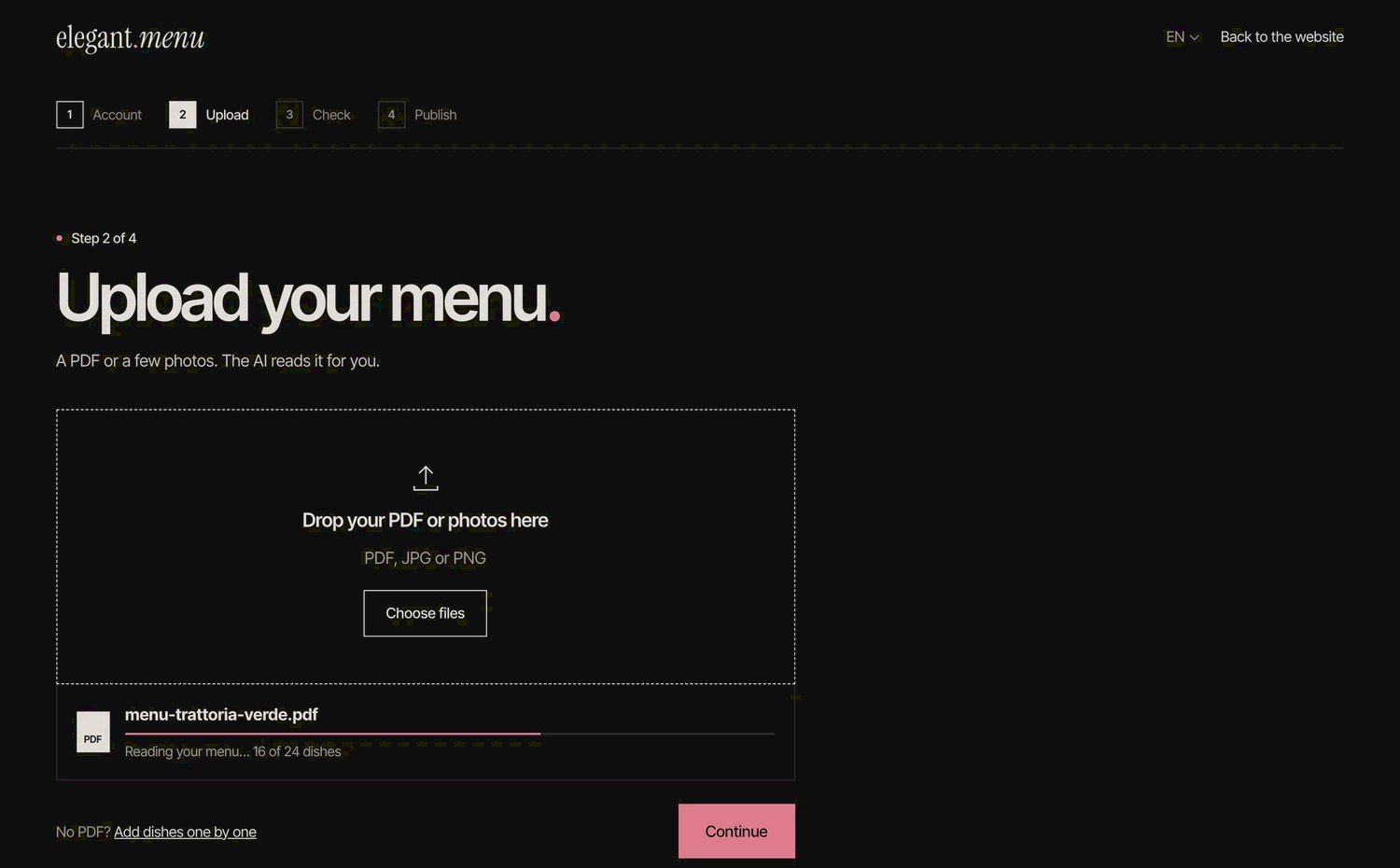
Step 2 · Upload
Progress counted in dishes, so owners see their own menu take shape.
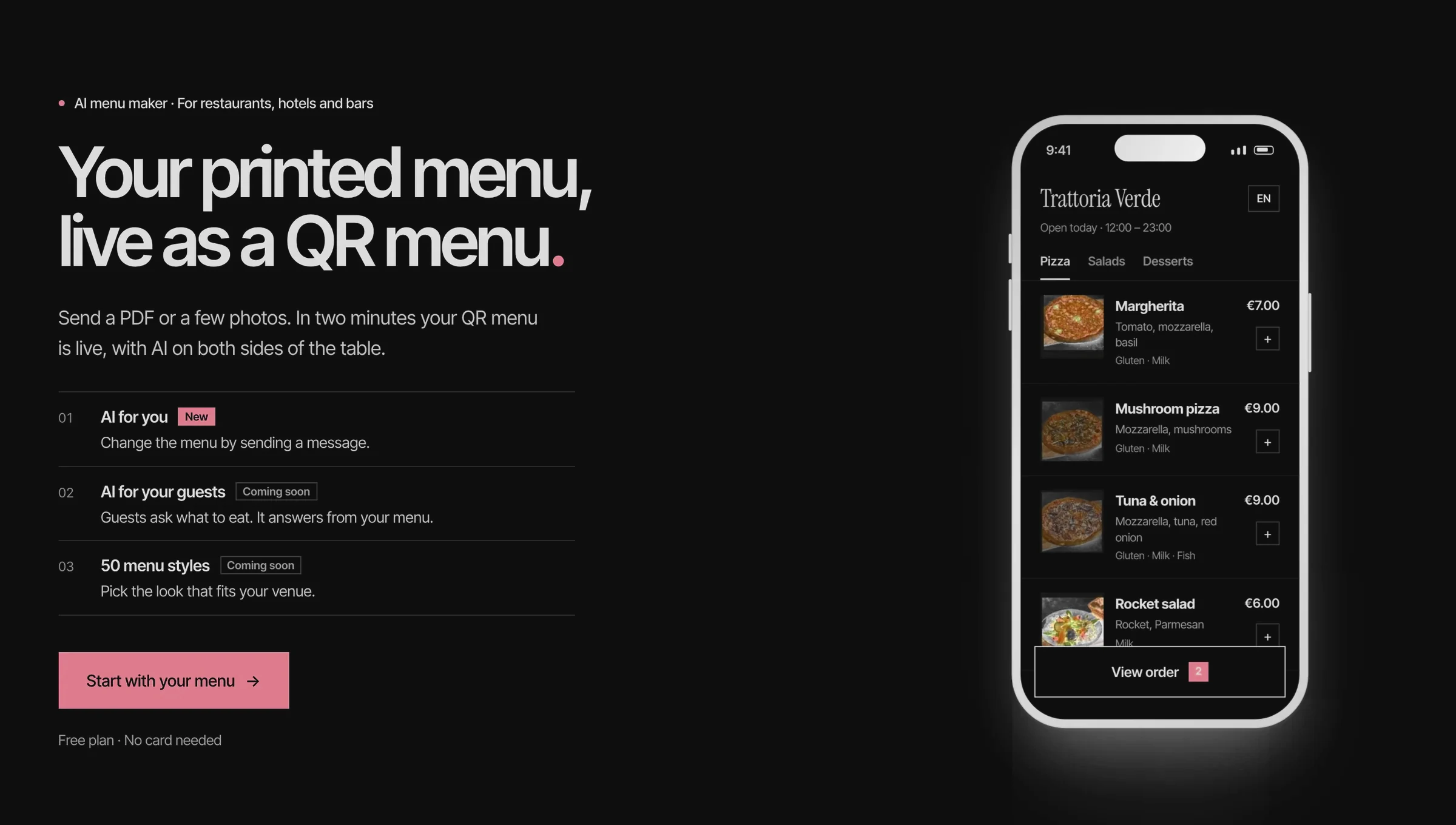
Website
The redesigned website opens on the owner’s starting point: the menu they already print.
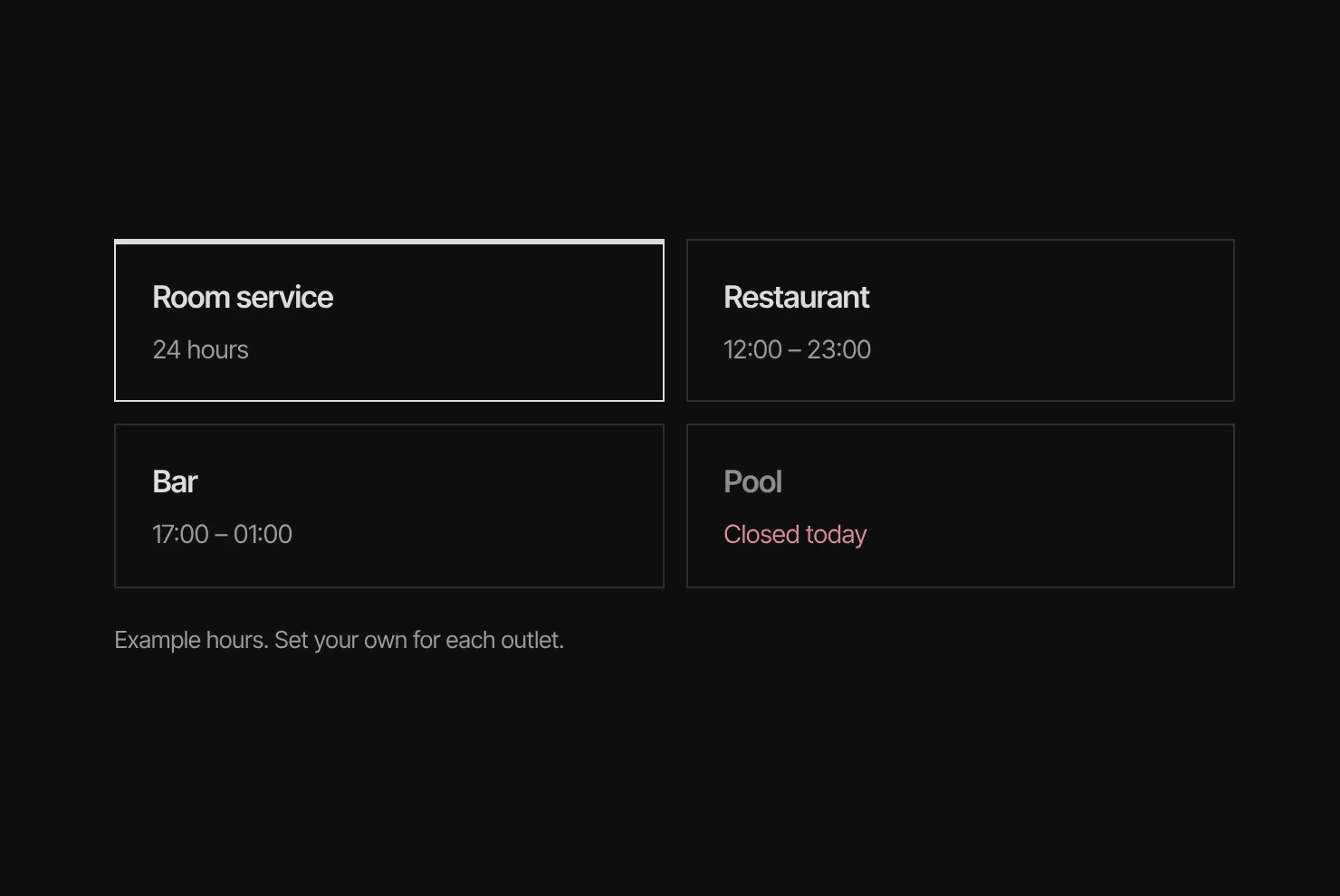
Venues · Every outlet, one menu
Hotels run room service, a bar and a pool, each with its own hours.
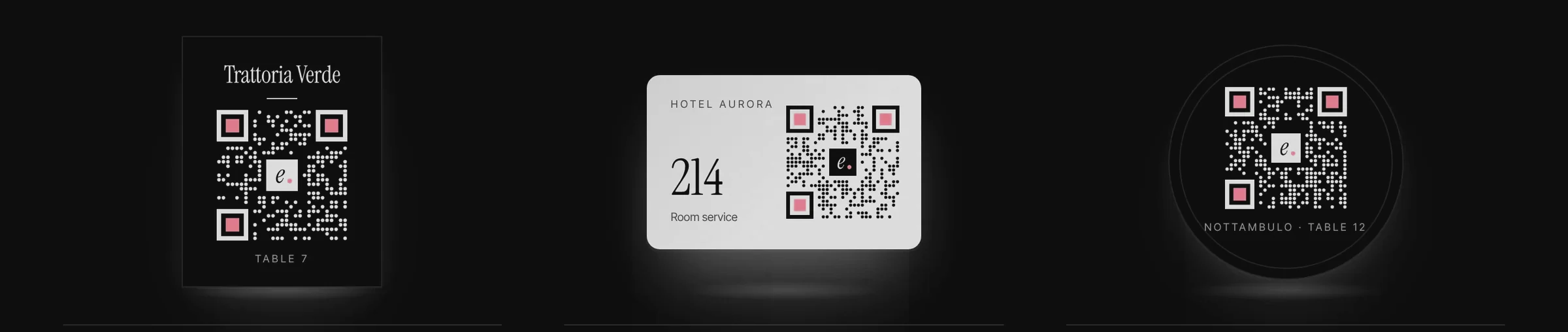
At the table · A designed QR set
Table card, room card and coaster: the first thing a guest touches.
Design system type · 3 button kinds · 7 colours
Built for a busy service. One typeface keeps the owner’s tools and the guest menu readable and consistent; burgundy appears only on actions and live states, so what can be tapped or what is live is recognisable at a glance; venue names and prices on the guest menu are set in a serif.
| Type · Inter Tight | Style | Example |
|---|---|---|
| Title | 600 · 64 | Your printed menu |
| Section | 600 · 46 | Check your menu |
| Item | 600 · 24 | Mushroom pizza |
| Body | 400 · 17/1.55 | Send a PDF or a few photos. |
| Caption | 400 · 13 | Free plan · No card needed |
| Buttons | Primary · secondary · quiet | Each with a default and a disabled state |
Burgundy
#7A1F2E · Actions and live only
Ink
#1A1714 · Headings, text
Muted
#6B6157 · Body text · 6.0:1
Quiet
#7A7068 · Secondary · 4.8:1
Line
#DDDBD9 · Hairlines
Warm grey
#F6F5F3 · AI sections only
Paper
#FFFFFF · Menus, cards
Outcomes still to validate 2 measures to track · 2 things still open
5,600+ venues use the product, with menus in 12 languages. This shows the product is used; it is not, on its own, proof that the latest redesign works.
Design outcome · to validate
Activation and time to value
For onboarding: the share of new accounts that publish a live menu, and the time from upload to a printable QR code.
Design outcome · to validate
Approval rate and confidence
For the assistant: how often owners approve a change as proposed. Track feature adoption separately from owner-reported confidence in AI-assisted editing.
Still open
Learn from what owners edit.
Every change an owner corrects before approving shows where the assistant misunderstood; that is the next thing to design for.
Still open
Make 50 styles feel like one product.
Styles change the mood of a menu; the order of information and the allergen rules have to stay identical in all of them.
Next project · 02
Pin2Pin.
One order, visible to the office and provable on the road.