Making food diaries easier to keep, and more useful to specialists.
01Overview
A food diary that connects patients with their specialist.
The patient app combines photo-based food logging, symptom tracking and a chatbot; the specialist web app brings everything recorded into one history.
My role
UX/UI designer and UX researcher
Team
Haleh Nobar, Bianca Bardela, Kira Bernauer, Olivier Bertrand, Brigitte Anna Stegers
Context
Interaction Design Studio, Politecnico di Milano · 4 months, 2022
Platforms
iOS app, chatbot, specialist web app
Tools
Figma, Landbot, LogMeal API
Status
Student project; prototype tested, not launched
02The problem
The diagnosis needs a diary. The diary needs daily effort.
For people investigating a possible food intolerance, recording meals, symptoms and daily context can become a repetitive task. Specialists need that history to look for patterns, but incomplete or inconsistent entries make it harder to use.
We focused on young adults, who often turn to online resources before seeking professional advice.
20%
Up to one in five people may have a food intolerance.
Healthline
10 of 11
respondents with regular digestive problems had lived with them for more than three years.
Our survey
5 of 11
felt their healthcare professional didn’t take their concerns seriously. Only 3 of all 28 had a diagnosis.
Our survey
03The solution
Quick to log, structured to review.
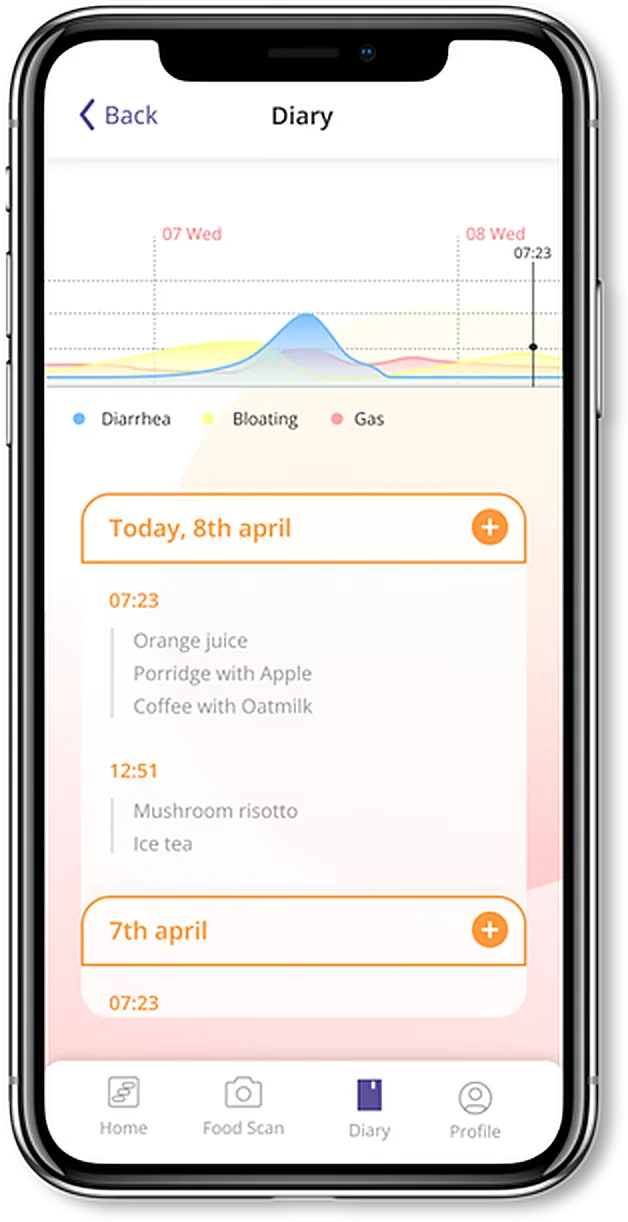
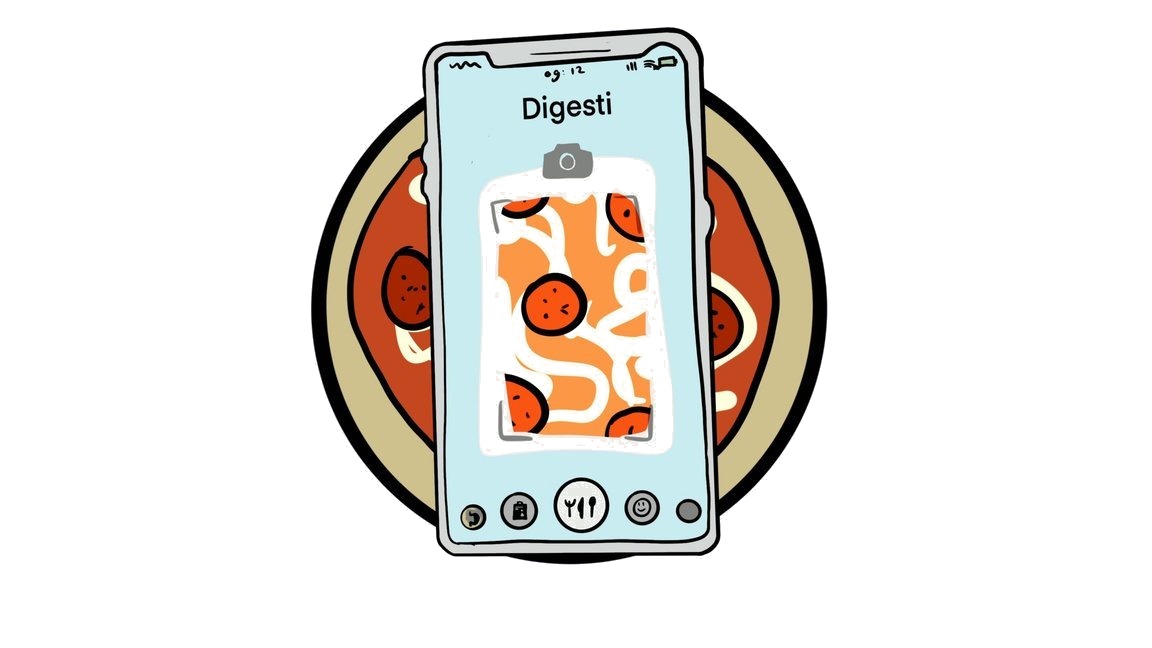
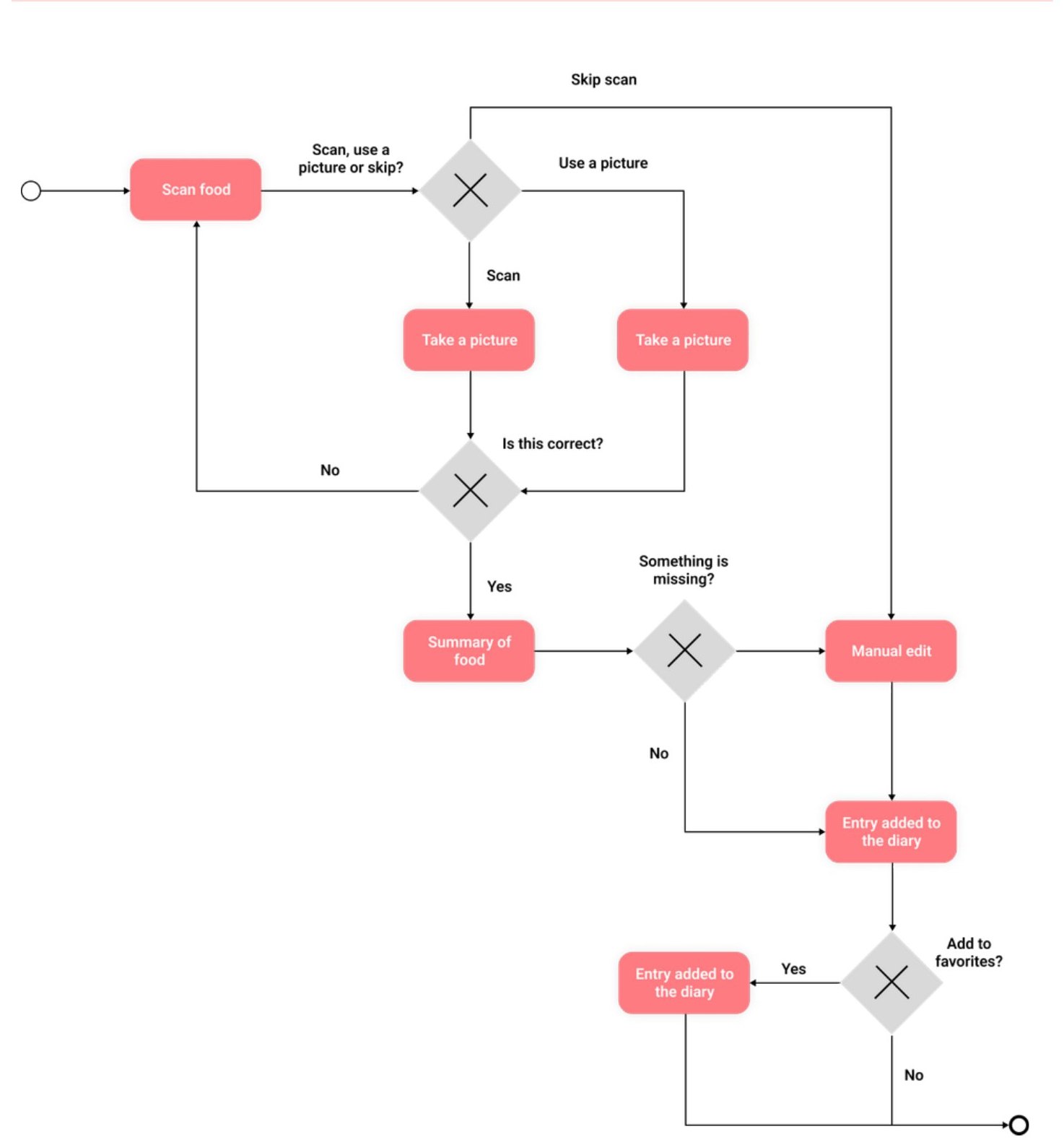
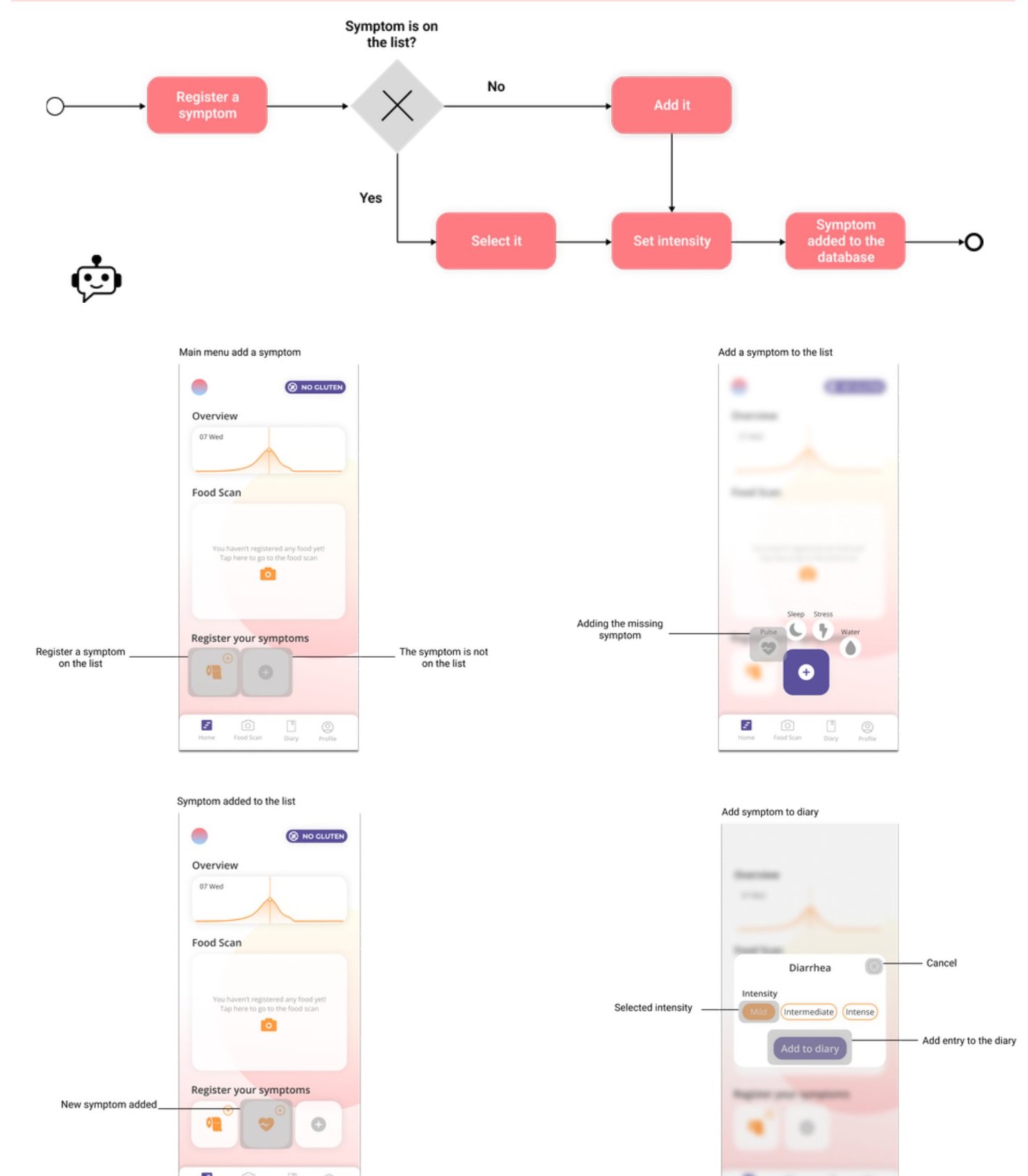
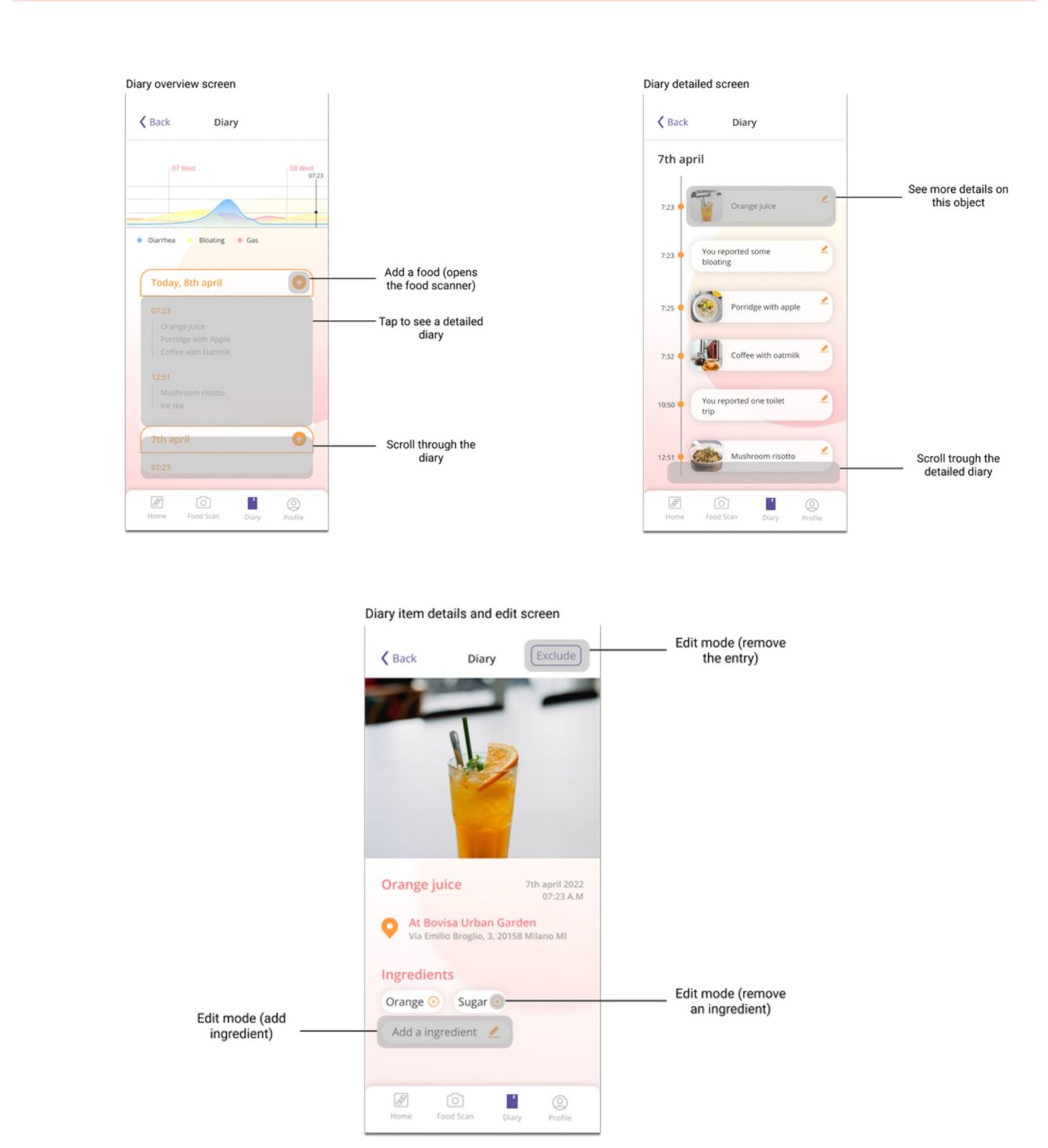
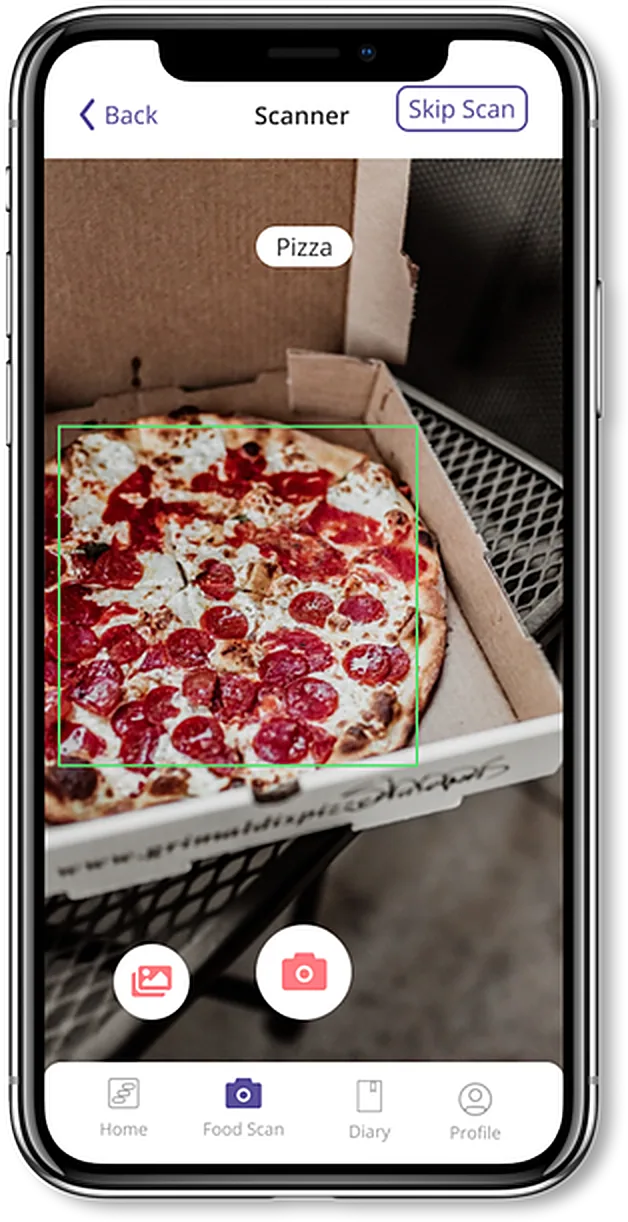
Manageable daily logging for patients, and a history specialists can review over time. Patients start a meal entry with a photo, correct the recognised ingredients when needed, and use a chatbot to record additional context.
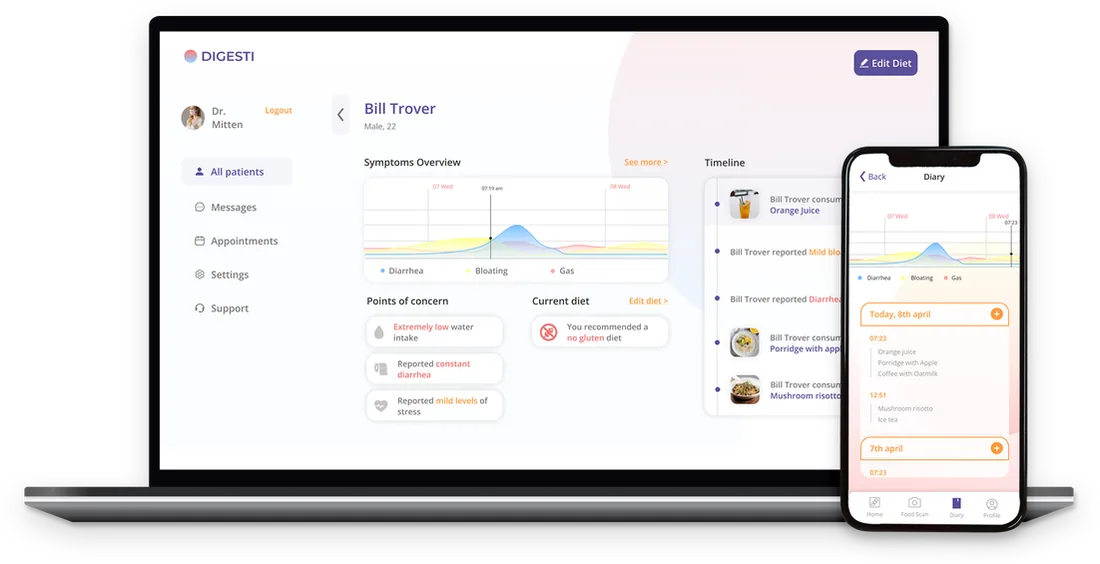
The patient app on the phone, the specialist web app on the laptop.
At a glance
28survey respondents
5expert interviews
3 of 6UEQ scales rated excellent by 4 test participants
5.25 / 7trust in the chatbot
04Research
We listened to both sides of the diagnosis.
The challenge wasn’t simply making food logging faster. We needed to understand what made patients stop recording, and which details specialists actually needed. We reviewed 9 papers, benchmarked 20+ products and ran a 5-day diary study with the team and friends.
One diary, two perspectives
Patient
Less effort.
A diary that’s manageable to keep, every day, for weeks.
“Getting help would almost feel weird, but also very much appreciated.”
Patient 14 · food diary study
Specialist
More context.
Everything recorded, in one place.
“A digital food diary in combination with health specialists is really great and timesaving.”
Medical student · expert interview
What we found
Finding 01
Recording meals and symptoms became tedious
ImplicationReduce manual work without preventing corrections.
Finding 02
Patients wanted guidance, but were wary of an app’s diagnosis
ImplicationBe supportive, and connect to a healthcare professional.
Finding 03
Specialists needed history and context, not single records
ImplicationBring meals, symptoms and context into one overview.
The evidence behind the findings
beginningfoodtimedayappmaybe forgettinglot of timeeveningirregularhardship and time
Redrawn from the original survey word cloud
mySymptomsFood and symptom journal to find IBS triggers
CaraCareGut-health diary, one of the few linked to a specialist
FoodyPersonal diary for food and possible symptoms
AtlasPhoto diary that rates meals for gut bacteria
Mijn EetmeterNutrients and calories, with tailored advice
The weeks alone with the diary
The hardest stretch is repeated self-recording, when patients have to stay motivated without immediate feedback. That’s where we focused.
Four personas, four barriers to keeping a diary
Bill, 22Effort-avoider: wants a quick fix without much effort.
Sheldon, 25Self-diagnoser: keeps a diary but avoids the doctor.
Karen, 27Worried researcher: her intolerance may not be real.
Deborah, 18Forgetter: sees a doctor late and forgets her diary.
Onset
Informing
Getting help
Intake
Testing
Analysing
Diagnosis
Doing
Slight digestive problems start
Reflects on symptoms, researches online
Looks for a specialist, or goes it alone
Talks to the specialist
Tests, food diary, exclusion diet
Waits for results, reflects on data
Diagnosis, or none
Mood & motivation
Pain points
Discomfort, stress, social limits
False self-diagnosis, overwhelm
Slow, little empathy
Little time, little empathy
Tedious, frustrating, motivation drops
Can’t interpret data alone
No diagnosis, or restrictions
Opportunity
Early awareness
Reliable guidance
A trusted connection
Shared history
Effortless logging + buddy
Clear overview for both
Follow-up and support
From research to requirements
How might we keep patients logging without costing them time, and help specialists review a patient’s history?
Effortless
Log a meal with one photo; nothing is mandatory.
Kind
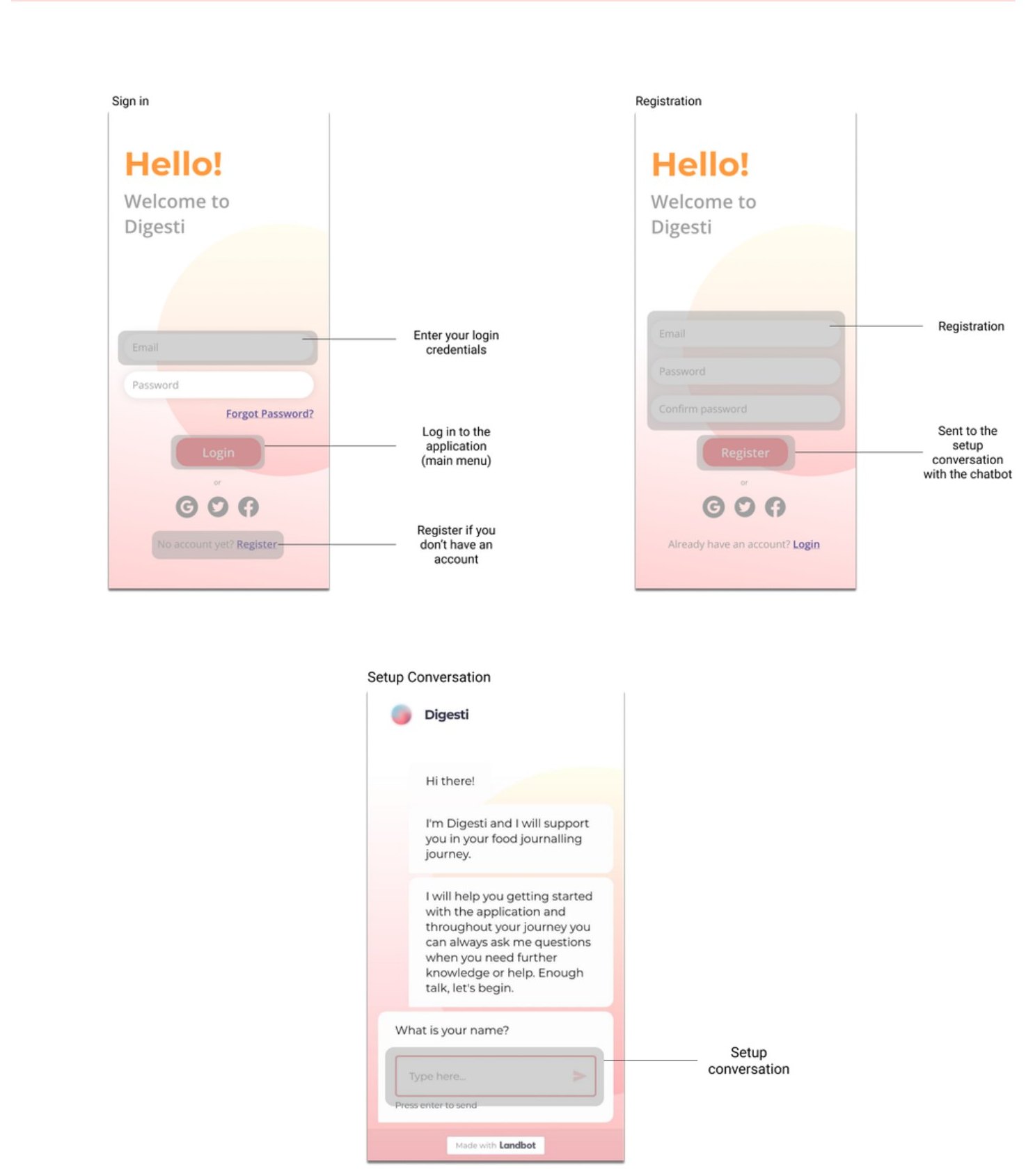
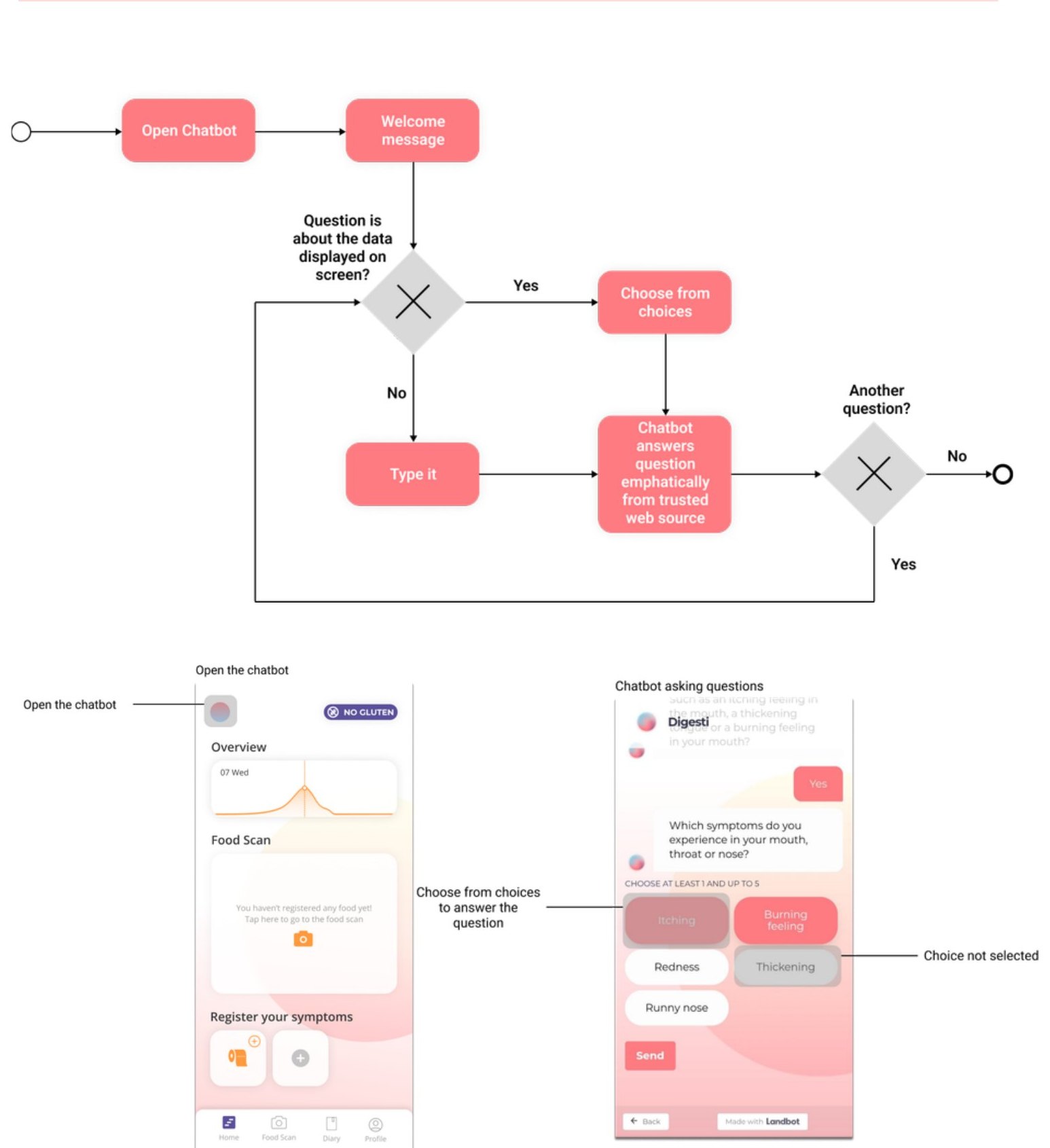
A chatbot buddy that guides, without judging.
Complete
Meals, symptoms, stress and sleep in one history.
Connected
Linked to a specialist; the app doesn’t diagnose.
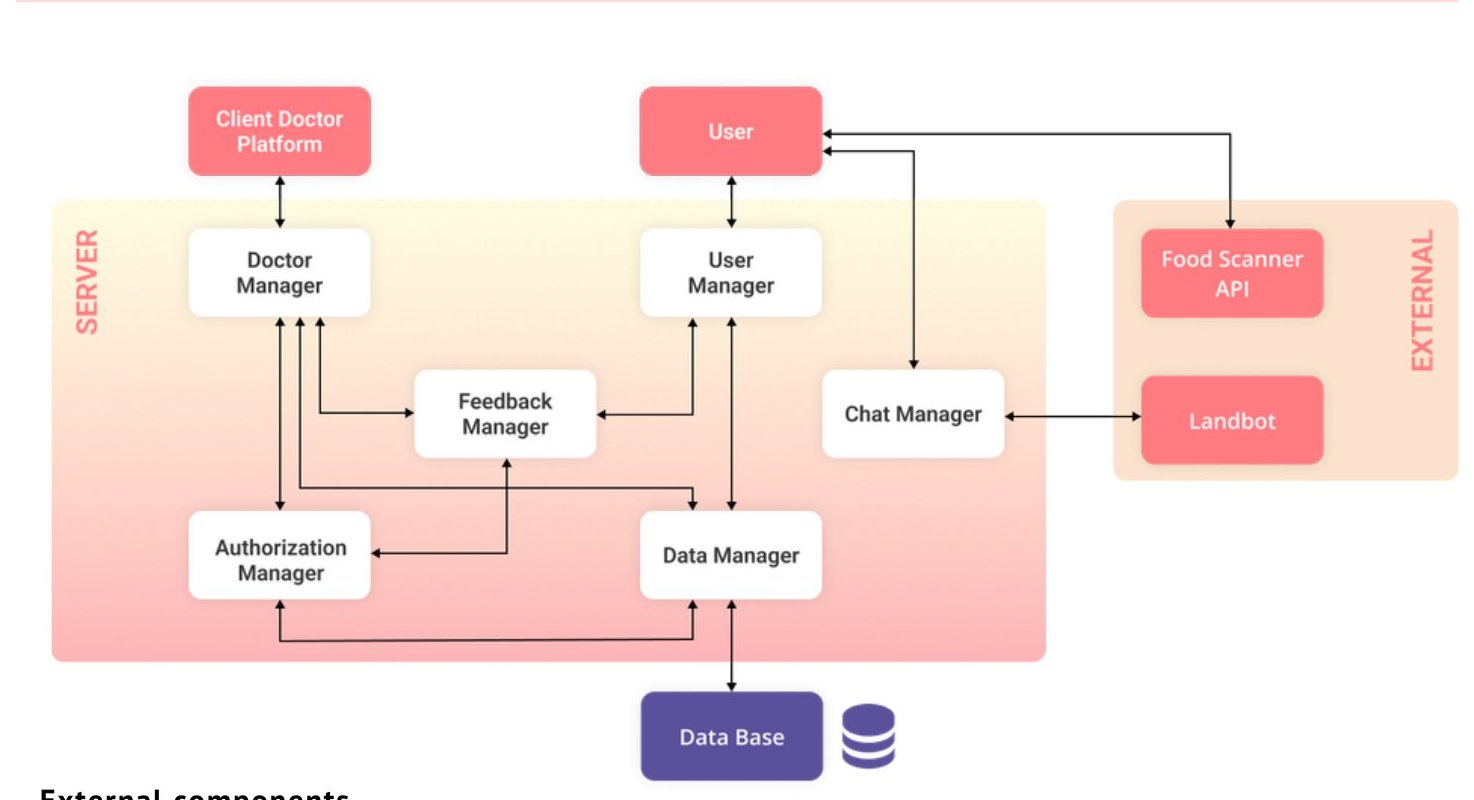
ConstraintsNeeds a connection and a third-party food-recognition API; health data must stay private; specialists can’t be flooded with raw data.
05Concept
Two products, one diary.
Sketches and scenario videos led to one system: photo logging, a guiding chatbot and a shared history.
Concept
Scenario 1Snap a meal, done
Scenario 2A conversation instead of a form
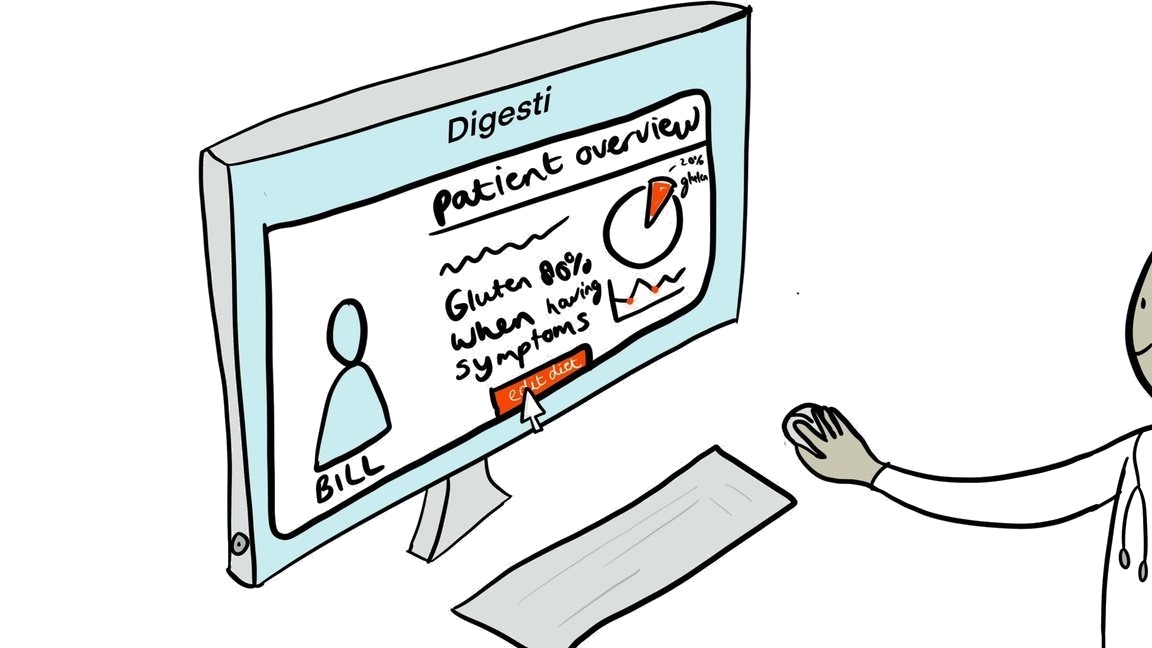
Scenario 3The specialist reads the diary
Concept-stage sketches for our three scenarios.
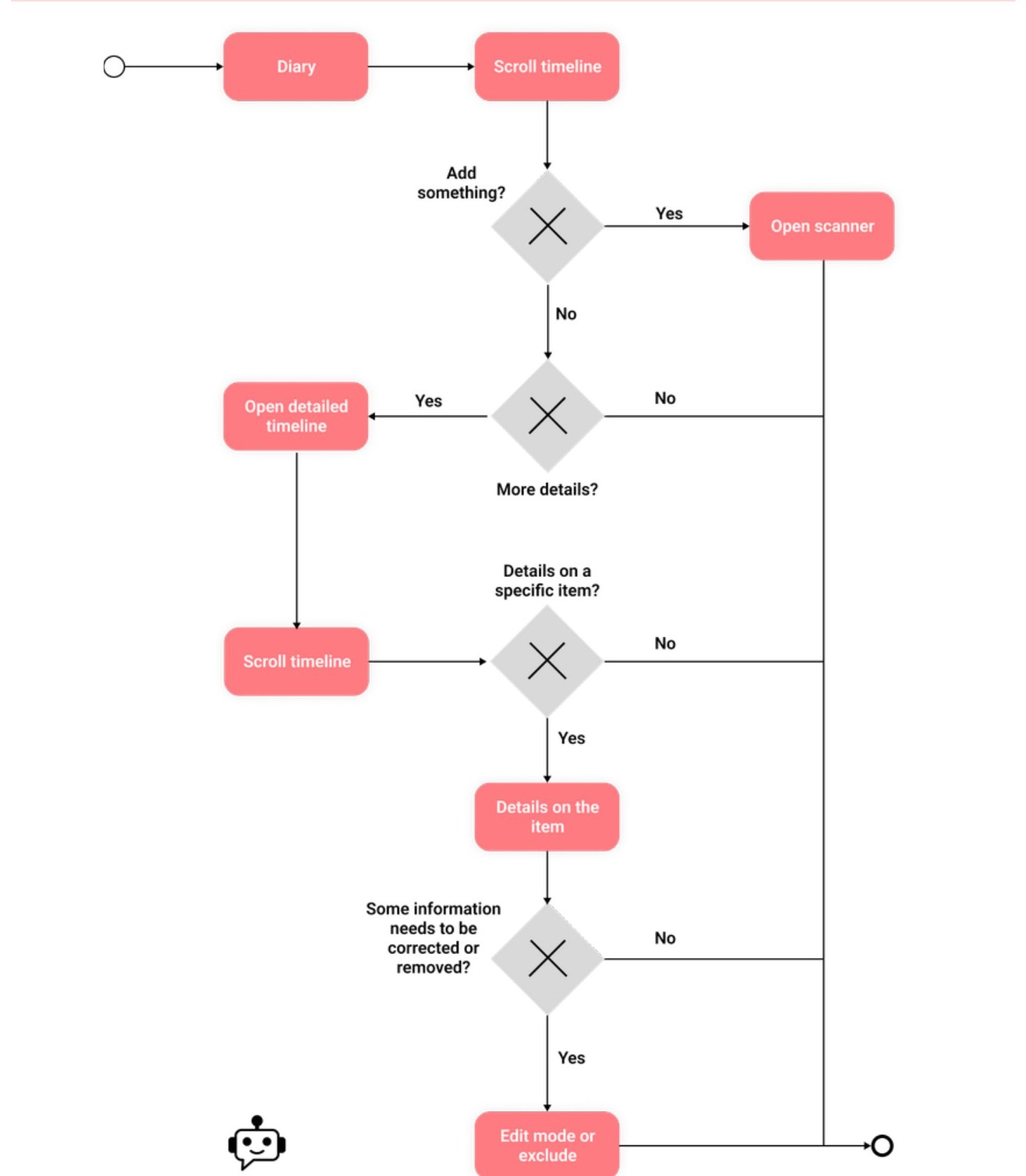
Everything one tap from the overview
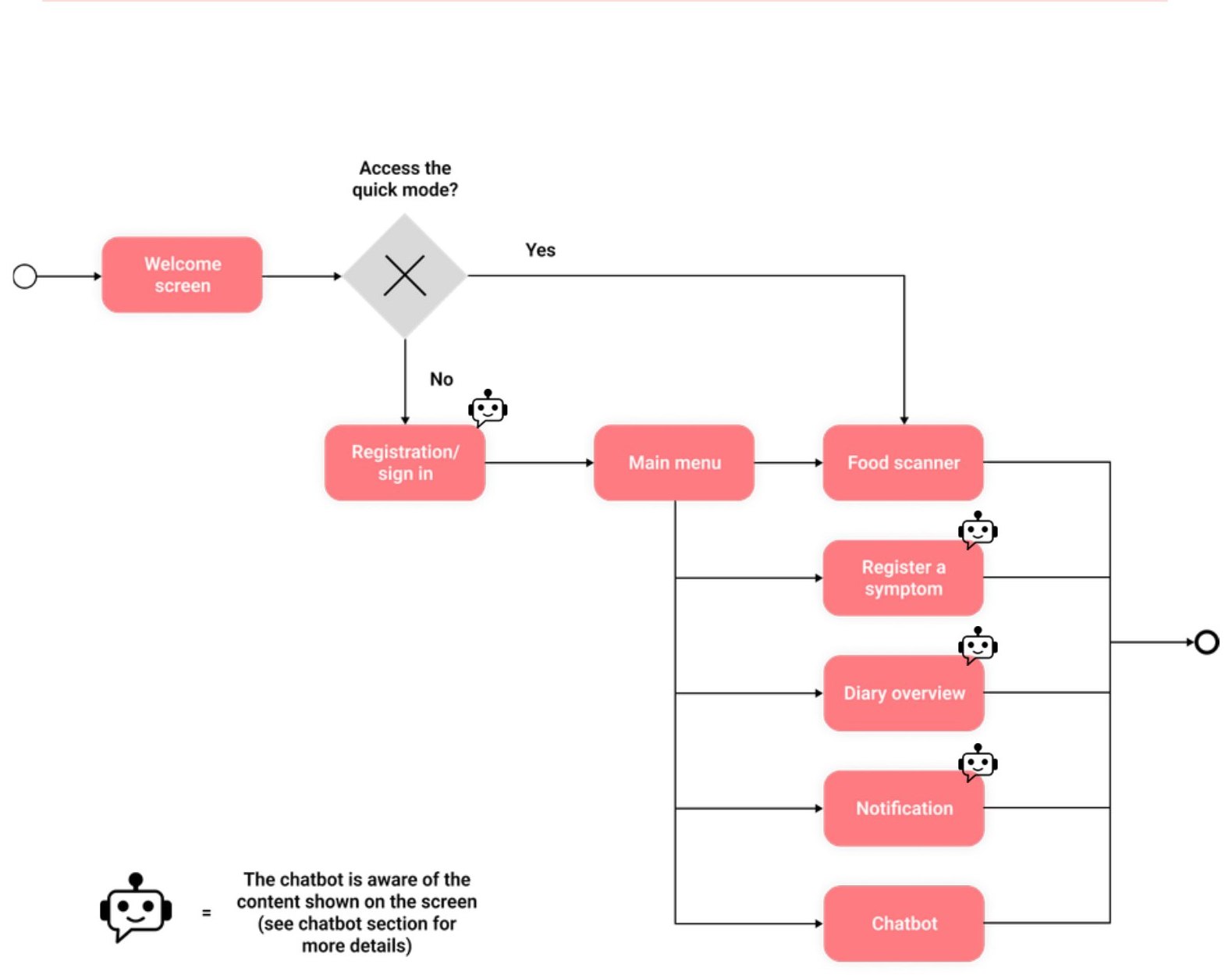
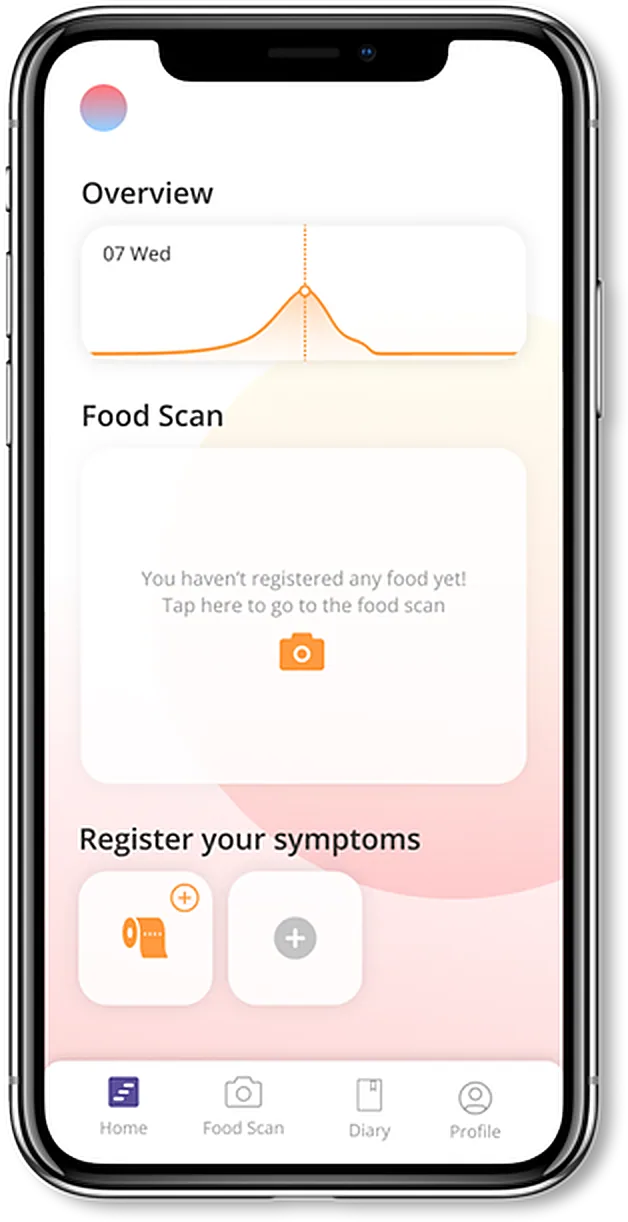
The overview answers “how am I doing?” first; logging stays one level deep, and the chatbot is reachable from every screen.
06Iterations
From greyscale to final.
Food capture got quieter, a tab bar replaced the menu, and the specialist page grew into concerns, diet and history.
The specialist patient page
The earlier specialist prototype combined an overview chart with five metric tiles. We reorganized the dashboard around flagged concerns, dietary context and a timeline, to help specialists identify what might need attention and explore the patient’s history.
Greyscale prototype, redrawn
DIGESTI…Doctor XY
Register Patient +
Tasks
Appointment
Message
History
Settings
Support
Exit
Patient XYEdit Diet
Overview
Food
Symptoms23%75%52%
Bowel Movement
Stress
Sleep~6,9 h
Final design
Edit Diet
Bill Trover
Male, 22
Symptoms OverviewSee more ›
07 Wed07:19 am08 Wed
DiarrheaBloatingGas
Points of concern
Extremely low water intake
Reported constant diarrhea
Reported mild levels of stress
Current dietEdit diet ›
You recommended a no gluten diet
Timeline
Bill Trover consumed Orange juice
Bill Trover reported mild bloating
Bill Trover reported diarrhea
Bill Trover consumed Porridge with apple
Bill Trover consumed Mushroom risotto
Removed
Five metric tiles below the overview chart
Placeholder patient card
Added
Points of concern, flagged
Current diet and a timeline of meals and symptoms
The patient app
Greyscale, redrawn
Digesti
Overview
07 Wed
Food diary
Take a picture of your food
Register your symptoms
Food Scanner
PizzaAm I correct?
Insert food manually
Food diary
edit later
Pizza Funghi
DoughTomato sauceMozzarellaMushrooms
Want to add ingredients?
DIGESTI…Doctor XY
Register Patient +
Tasks
Appointment
Message
History
Settings
Support
Exit
Patient XYEdit Diet
Overview
Food
Symptoms23%75%52%
Bowel Movement
Stress
Sleep~6,9 h
Final design
Edit Diet
Bill Trover
Male, 22
Symptoms OverviewSee more ›
07 Wed07:19 am08 Wed
DiarrheaBloatingGas
Points of concern
Extremely low water intake
Reported constant diarrhea
Reported mild levels of stress
Current dietEdit diet ›
You recommended a no gluten diet
Timeline
Bill Trover consumed Orange juice
Bill Trover reported mild bloating
Bill Trover reported diarrhea
Bill Trover consumed Porridge with apple
Bill Trover consumed Mushroom risotto
Tap a screen to see it full size
Where the visual language landed
Warm sunset colours and soft shapes, so a health app wouldn’t feel like a hospital.
Redrawn from the final screens; hex codes from the project palette.
07Key decisions
Three decisions behind the product.
What is easiest for the patient isn’t always most useful for the specialist; each decision balances the two.
01 · Food logging
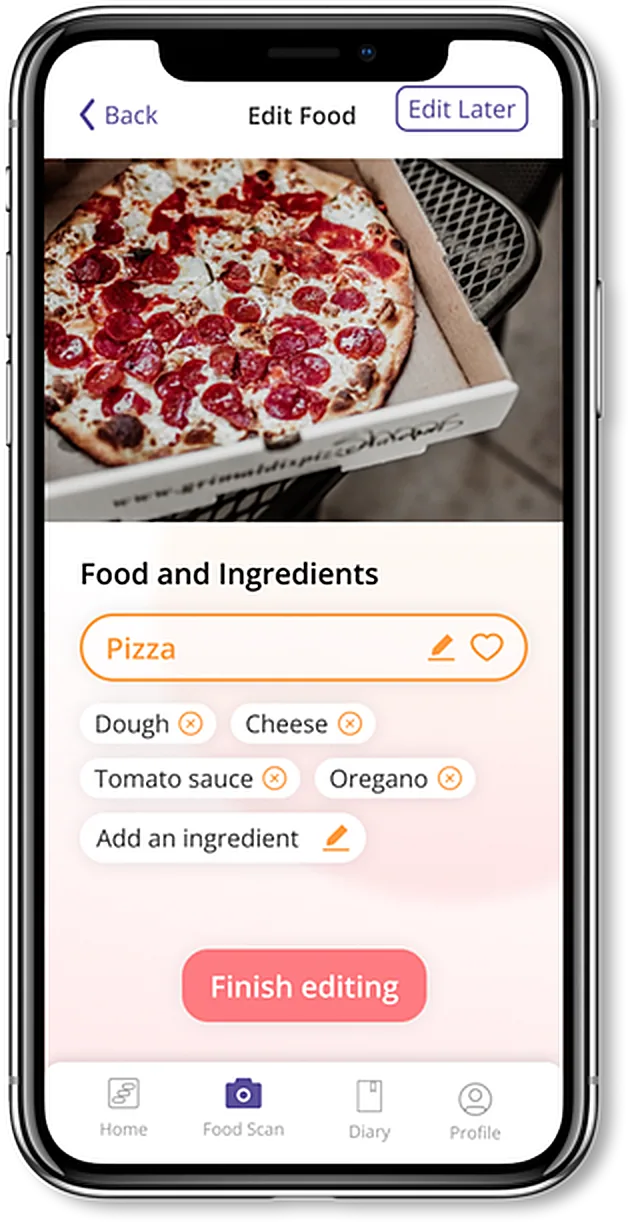
Scan, then correct.
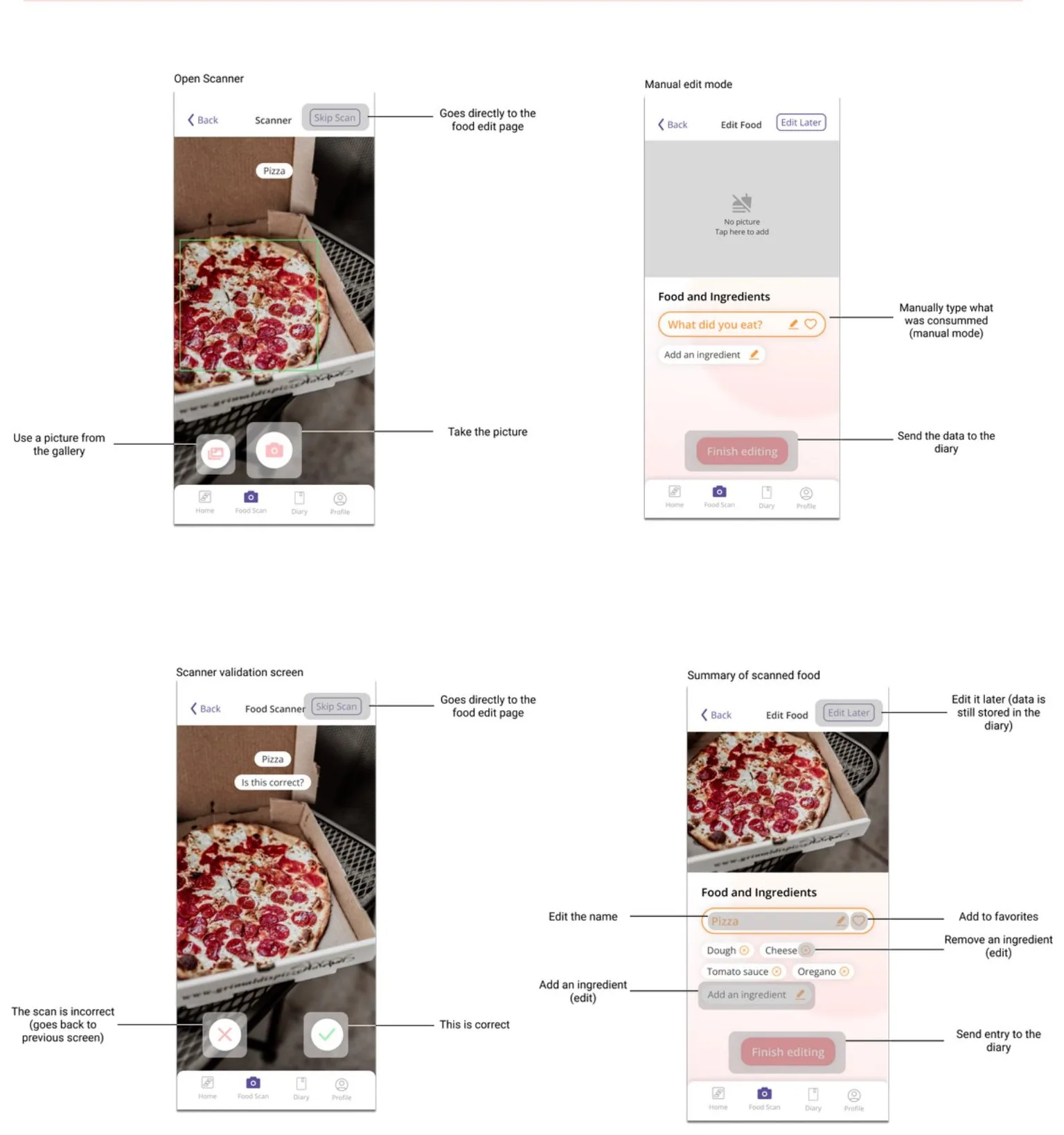
We dropped the prototype’s “Am I correct?” step, saving a tap on every meal: the photo proposes the dish, and patients fix ingredients on the next screen. Everything else stays optional, because our nutritionist warned that strict logging can encourage obsessive behaviour.
1 · ScanThe photo proposes a dish.
Food and Ingredients
Pizza
DoughCheeseTomato sauceOreganoAdd an ingredient
Finish editing
2 · CorrectIngredients stay editable before saving. Fix only what’s wrong. Panel redrawn from the final screen.
02 · Chatbot
A guided conversation.
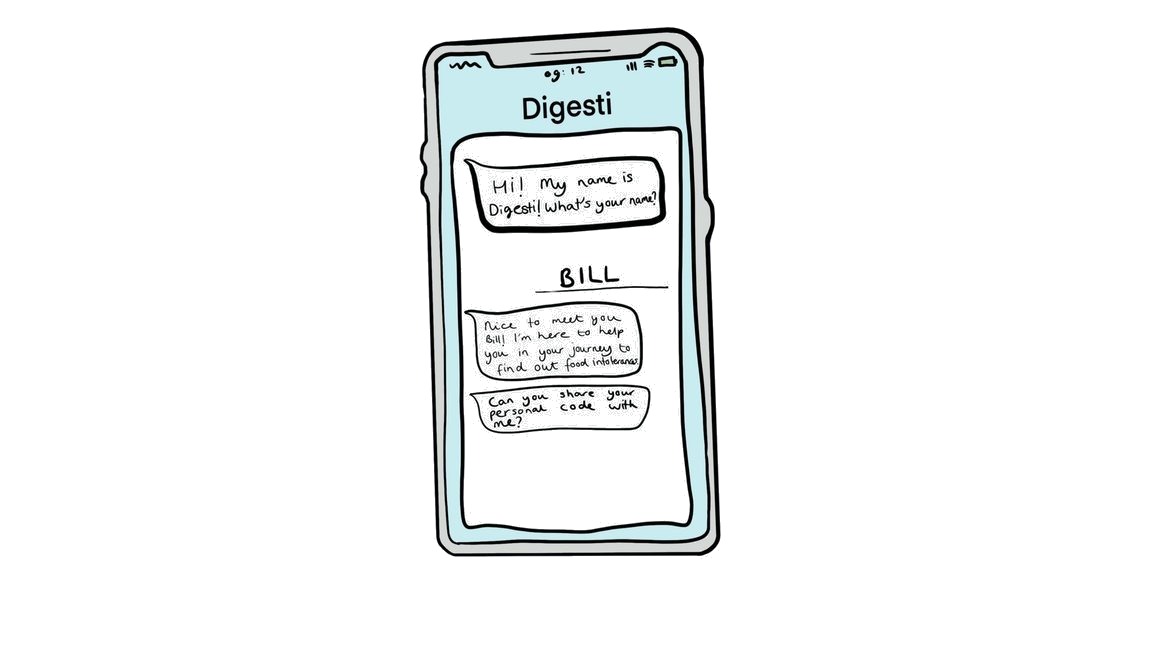
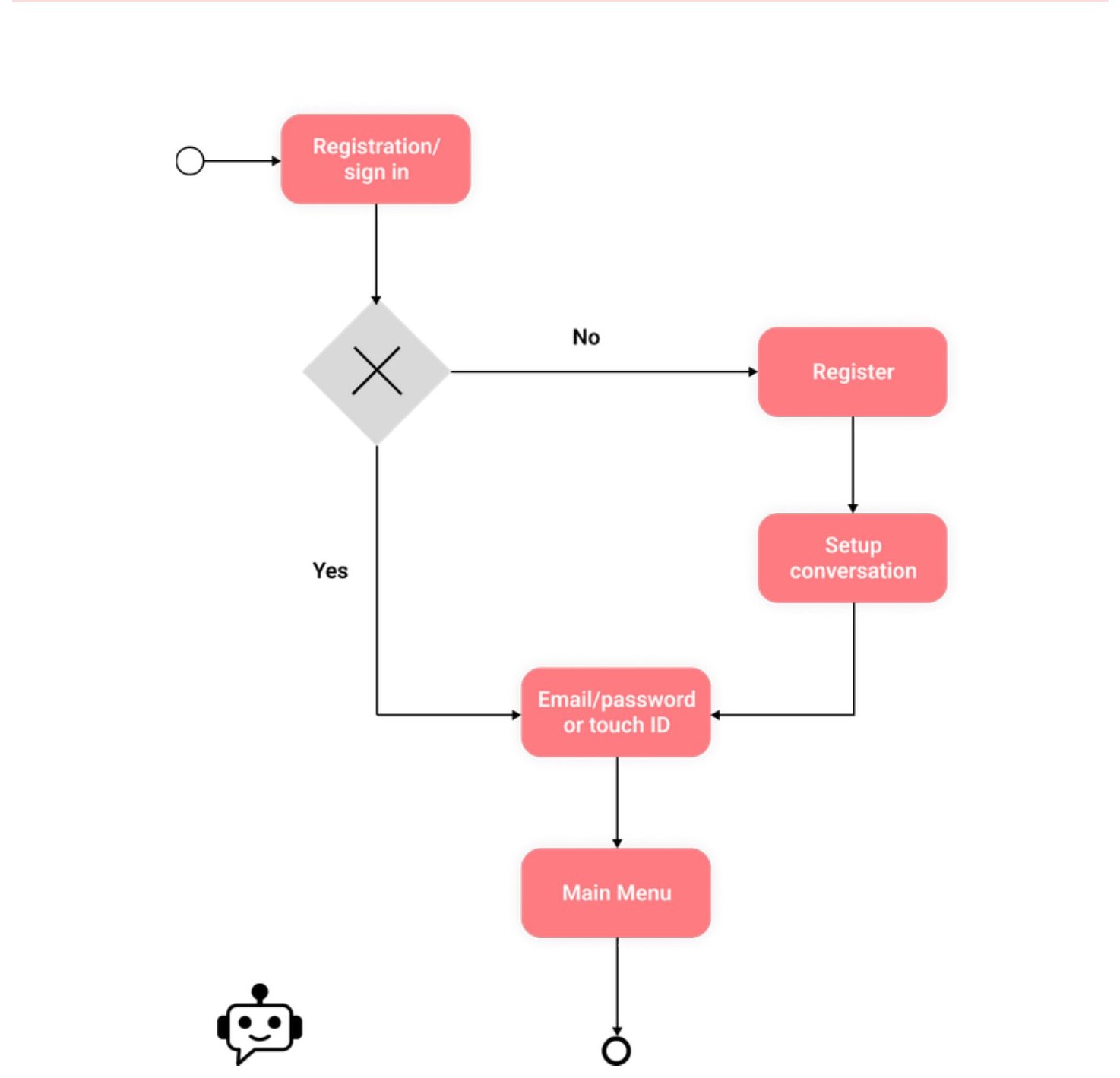
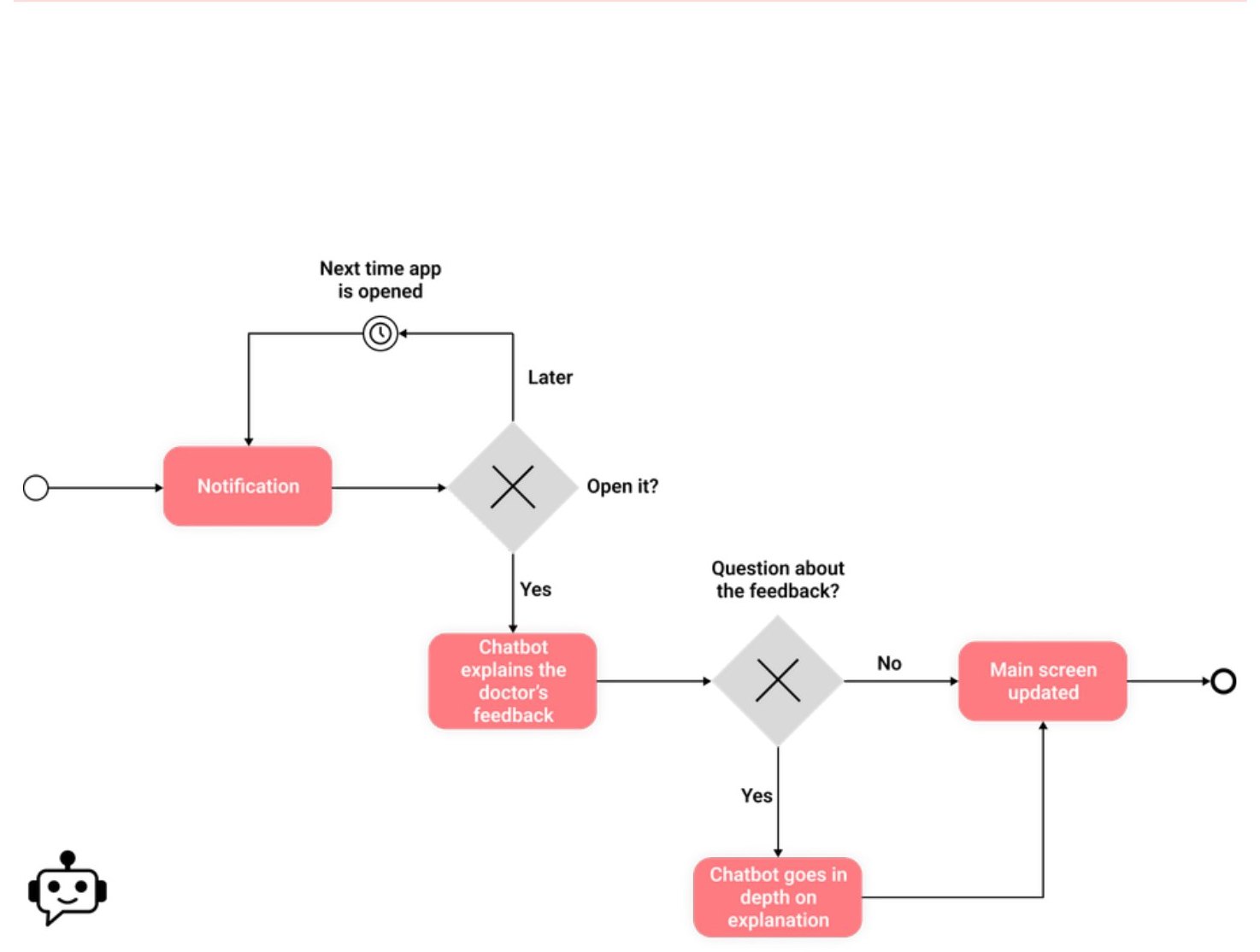
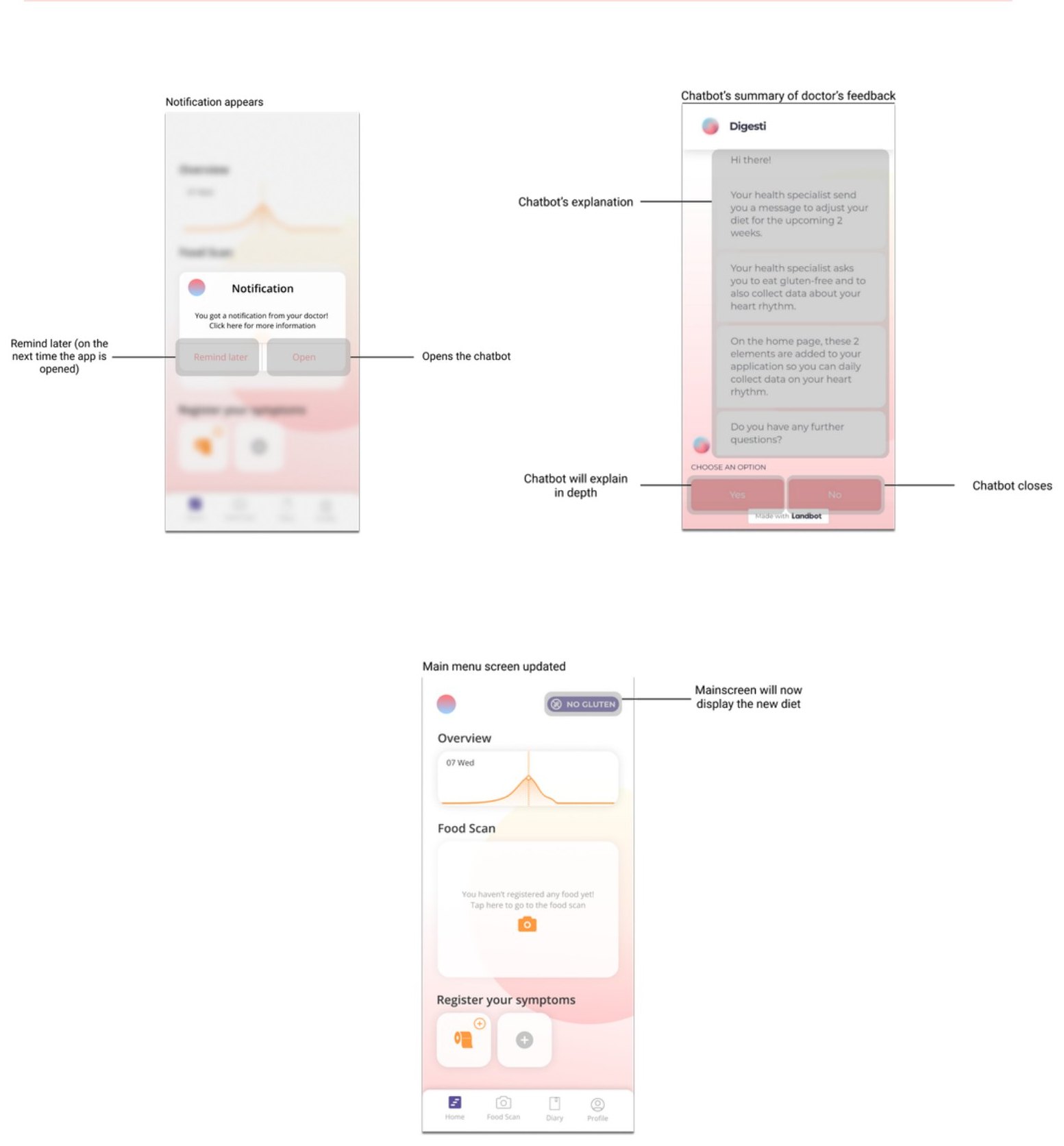
A chatbot buddy sets patients up without forms or judgement. Try the demo.
Connects
Links the patient to their specialist with a personal code.
Learns
Asks about symptoms with predefined answers.
Prototyped
Built in Landbot for testing.
Digesti
03 · Specialist experience
From individual entries to a patient history.
The specialist dashboard brings symptom trends, dietary context and patient history together in one interface for review.
Specialist web app
Edit Diet
Bill Trover
Male, 22
1
Symptoms OverviewSee more ›
07 Wed07:19 am08 Wed
DiarrheaBloatingGas
2
Points of concern
Extremely low water intake
Reported constant diarrhea
Reported mild levels of stress
Current dietEdit diet ›
You recommended a no gluten diet
3
Timeline
Bill Trover consumed Orange juice
Bill Trover reported mild bloating
Bill Trover reported diarrhea
Bill Trover consumed Porridge with apple
Bill Trover consumed Mushroom risotto
Edit Diet
Bill Trover
Male, 22
1
Symptoms OverviewSee more ›
07 Wed07:19 am08 Wed
DiarrheaBloatingGas
2
Points of concern
Extremely low water intake
Reported constant diarrhea
Reported mild levels of stress
Current dietEdit diet ›
You recommended a no gluten diet
3
Timeline
Bill Trover consumed Orange juice
Bill Trover reported mild bloating
Bill Trover reported diarrhea
Bill Trover consumed Porridge with apple
Bill Trover consumed Mushroom risotto
Edit Diet
Bill Trover
Male, 22
1
Symptoms OverviewSee more ›
07 Wed07:19 am08 Wed
DiarrheaBloatingGas
2
Points of concern
Extremely low water intake
Reported constant diarrhea
Reported mild levels of stress
Current dietEdit diet ›
You recommended a no gluten diet
3
Timeline
Bill Trover consumed Orange juice
Bill Trover reported mild bloating
Bill Trover reported diarrhea
Bill Trover consumed Porridge with apple
Bill Trover consumed Mushroom risotto
Redrawn from the final screen.
1
Symptoms over time
A chart compares reported symptoms across dates, so the history reads as trends rather than isolated records.
2
Points of concern and current diet
Summary cards flag relevant observations, with the patient’s current diet alongside.
3
Patient timeline
A chronological feed of symptoms, meals and diet events, for reviewing individual records in context.
08Testing
What the first test told us.
Four participants played Bill, our effort-avoider, in 20–30 minute sessions with the Figma and Landbot prototypes.
User Experience Questionnaire vs benchmark
excellentgoodabove avg.below avg.badDigesti
5.25 / 7
Trust in the chatbot
3.33 / 5
Perceived empathy, a moderate score
TasksSet up with the chatbot → Log a pizza → Review the diary → Receive a diet change
What worked, what didn’t, what we didn’t test
Worked
Clear, efficient and attractive: rated excellent on three UEQ scales.
Needs work
Less engaging day to day: stimulation scored lowest, and the chatbot scored low on being available to talk.
Not yet tested
The specialist app, with specialists.
What we established
Positively received in a short test. Sustained diary use over time remains unproven.
09Takeaways
Design the input as carefully as the output.
Reduce effort without hiding errors
Photo recognition helps only when patients can still correct the result.
Design both sides of shared information
What feels like a quick diary entry to the patient becomes part of a longer history for the specialist.
Support, don’t diagnose
Patients wanted guidance but distrusted an app’s diagnosis, so Digesti hands the judgement to their specialist.
Next time
Test the specialist side
Sessions with doctors and nutritionists, since the specialist dashboard was never tested with the people it was for.
Design for week three
Stimulation scored lowest. Add gentle motivation for daily logging, then run a multi-week patient pilot instead of a 30-minute session.
Decide the measures first
Diary completeness, continued use to the end of an exclusion diet, and the time a specialist needs to review a history.